Platform · Automation
As soon as a report comes in, the process starts.
One process for claim, breakdown, defect and violation.
The workflow asks partners by your rules and obtains approvals. Approvals are always decided by a person.
Four case types
- Claim
- Breakdown add-on module
- Defect add-on module
- Violation
One process · Stations on this page
01The process
Your rules. One process. Try it out.
Set the rules and play a case through: report, ask partners, approve. The history builds up as you go, step by step.
Clamio orchestrates. Everyone pitches in.
Illustration to try out · not a product image
with AutomationYour rules
Stations
- Triggercurrent
- Partner selectionopen
- Answeropen
- Approvalopen
- Endopen
Now
Four eyes, if switched on
Ready. Report a case, then the process starts.
History
No entry yet. The history records every step.
Partners 1 to 3 are examples. The illustration does not show deadlines, amounts or names.
02Trigger
The report triggers the process.
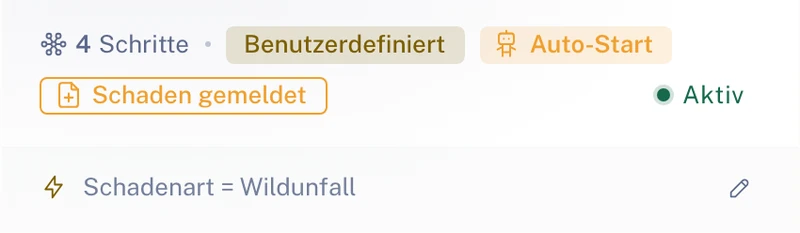
The conditions under which the process starts, such as damage type, severity or coverage type, determine which process fits.
- Applies to claim, breakdown (add-on module), defect (add-on module) and violation.
- The trigger is an event, for example “Claim reported”.
- Drivers report via the app; you record cases in the portal.
Starting by hand: for claims onlyWorkflows start automatically. For claims, admins can also start or cancel a process by hand, traceably logged.
From the interface
Demo data
03Partner selection
Fixed or preferred. At once, one after another or at the same time.
You choose partners as fixed or preferred partners. Orders go to one partner at once, or requests go out one after another or at the same time.
Which partners are asked
Fixed partner
The step always goes to the same partner.
Preferred partners
The step asks the partners you have marked as preferred.
Dispatch type: exactly one per step
-
Order at once
The order goes directly to the first matching partner, without a request round. Platform partners accept or decline it; your own service providers take it on directly.
-
Ask one after another
If one declines, the next is asked immediately, otherwise once the waiting time has elapsed.
-
Ask at the same time
As soon as one partner accepts, the request is settled for the others. If one declines, the request to the others stays open.
For “at once” you define in the template how things continue after a decline. Automatic moving on to the next partner exists for “one after another” and “at the same time”.
In the editor the step is called “Order a provider”, the choice within it “Partner selection”.
Your own service providers without an account take part via a protected order link.
04Response deadline
Every request has a response deadline.
You set the response deadline per partner tier. If one declines or does not answer within the deadline, the next is asked.
This applies to “one after another” and “at the same time”. For “at once” you define in the template how things continue after a decline.
If no partner is found
If no partner is found: create a manual intervention or create an order without partner. Which applies, you define in the process.
Illustration · Example for the dispatch type “one after another”
- Partner 1declines
- Partner 2does not answer within the deadline
- Partner 3declines
- No partner foundCreate manual intervention or Create order without partner
05Approvals
Approvals are decided by a person.
If a step needs an approval, the process waits until the decision is made.
- The “Approvals” page collects requests from running workflows that need your decision.
- Approvals concern, among other things, cost estimates, invoices, repairs and settlement decisions. Depending on the step, the fleet, the insurer, the underwriting agent (MGA) or, for a claim, a commissioned partner decides.
- Optionally the four-eyes principle for cost estimates and invoices from an amount you set.
- A workflow never decides on coverage or settlement itself.
Illustration · Approval in the process
- Approval requestedThe process waits until the decision is made.
- One person decidesApprove or reject.
- A second person confirmsOptionally, for cost estimates and invoices from an amount you set.
- The process continues
06Check run and test run
Check and test first, then activate.
The check run finds gaps, the test run plays the process through on a test claim – before go-live.
- Processes are created as a graphical process chain: classify, commission partners, obtain approvals, inform those involved.
- You can duplicate, archive, export and import templates. You adopt templates from Clamio as a starting point.
- The “Workflow” tab in the claim file shows every step, every result and every waiting time.
Illustration · From template to active process
- Create templateYour own template or one from Clamio.
- Check runFinds gaps.
- Test runPlays the process through on a test claim.
- ActivateFrom now on the process starts with the report.
- History in the fileEvery step, every result, every waiting time.
07Frequently asked questions
Quick questions
Requirement: Automation booked.Breakdown and defect are add-on modules.
What happens if a partner does not answer?
Every partner request has a response deadline. If one declines or does not answer within the deadline, the next is asked. If no partner is found, Clamio creates a manual intervention or an order without partner. This applies to “one after another” and “at the same time”. For “at once” you define in the template how things continue after a decline.
Who decides on approvals?
Always a person. Optionally the four-eyes principle for cost estimates and invoices from an amount you set.
Does the workflow decide on the settlement?
No. A workflow never decides on coverage or settlement itself. It obtains the approval and waits until the decision is made.
What do we need to book for the workflow?
The workflow requires Automation to be booked. It applies to claim, breakdown, defect and violation. Breakdown and defect are add-on modules.
Keeps it rolling.
In a demo we show you a process from report to closure.
Where does AI help in the process? See AI in the workflow