
Vehicles
Claims, breakdowns, defects, violations, assigned drivers and lock status per vehicle. Mileage comes from driver reports.

Fleet portal · For fleet managers
The Fleet portal brings claims, breakdowns, defects and violations together with vehicles, contracts and deadlines. Drivers report via the app, partners work in the same file.
Starting point
Three places where things get stuck today, and what Clamio does there.
Reports come in by phone, email and on paper. The same details are recorded several times.
With ClamioDrivers report via the app; you record cases in the portal or hand them over from your systems via an interface. Every route leads into one file.
HU, AU, UVV and driving licences expire, and nobody notices in time.
With ClamioClamio reminds you before HU, AU, UVV and the driving licence expire.
After a claim or a breakdown the phoning around begins. The vehicle stands idle.
With ClamioAs soon as a report comes in, the process starts. You choose partners as fixed or preferred partners. Requirement: Automation booked.
01Report
All ways of reporting lead to the same file with photos, course of events, parties and vehicle.
This is where the driver gets onDriver app for iOS, Android and iPad
Guided report in steps with photos, also as a draft. Drivers complete tasks and submit evidence, without cost details.
You record cases in the portal or hand them over from your systems via an interface.
Every route leads into one file
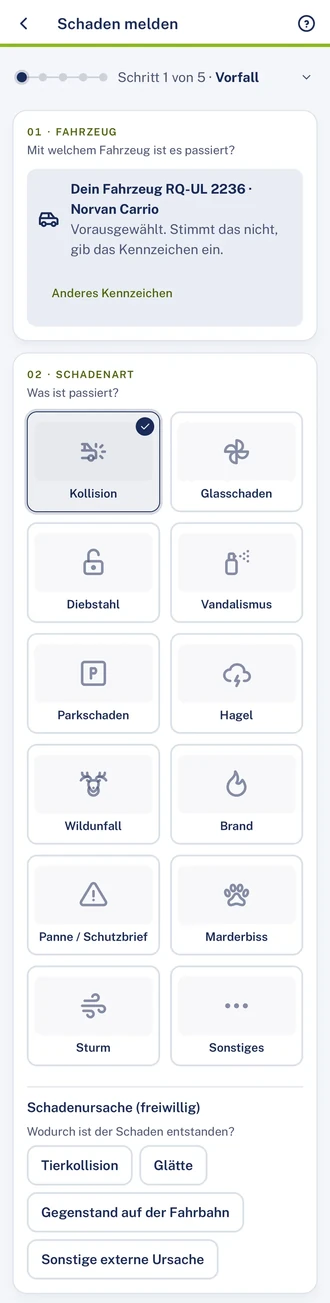
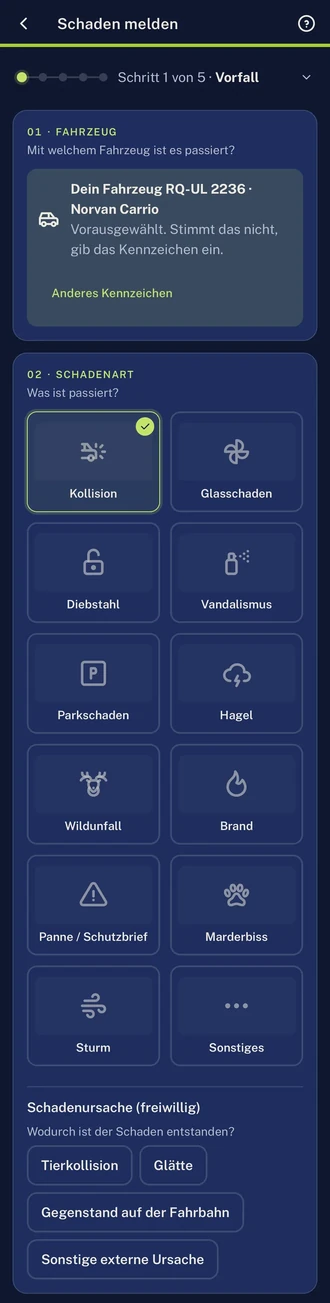
Report a claim: choose the vehicle, tap the damage type. Sample data.
Coming soon to the App Store and Google Play
02Cases & file
Each case type has its own list and its own file. If it turns out to be a claim, you convert the breakdown or defect into a claim.
 Claim file · Damage & photosDemo data
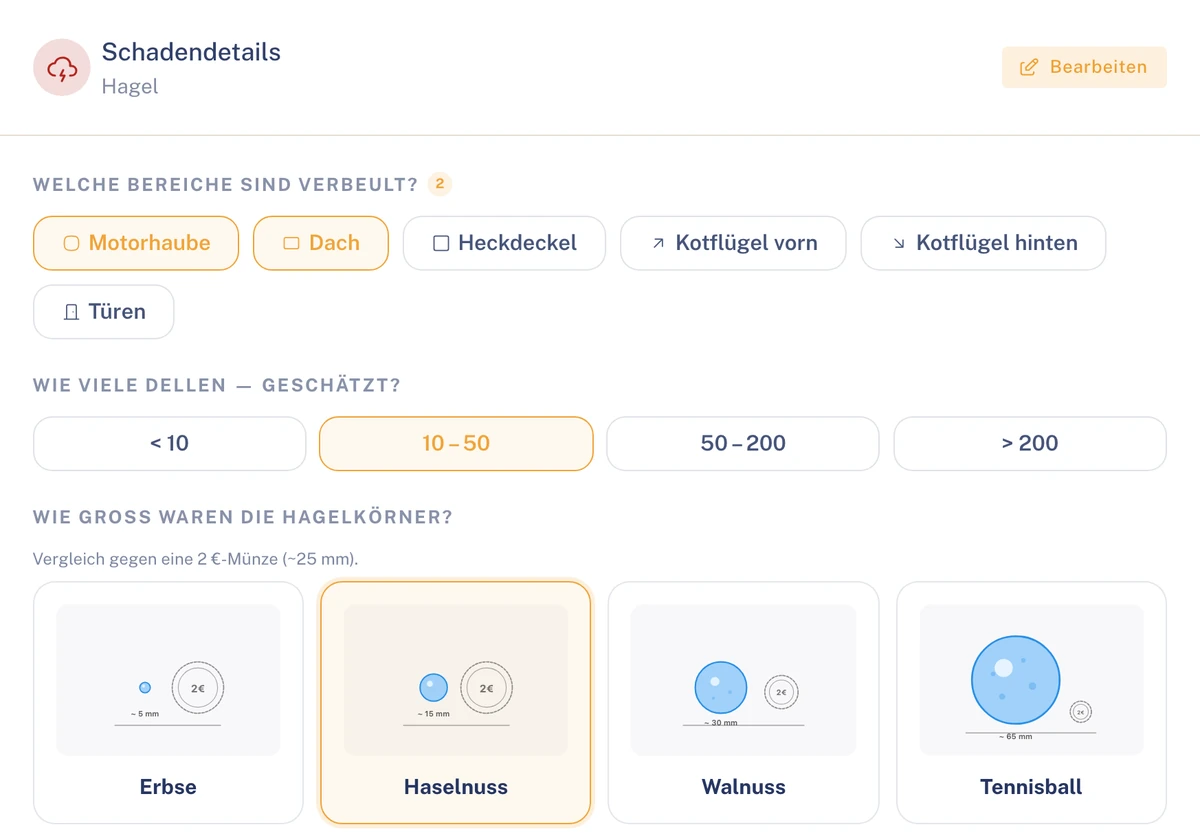 Breakdown file · OverviewDemo data
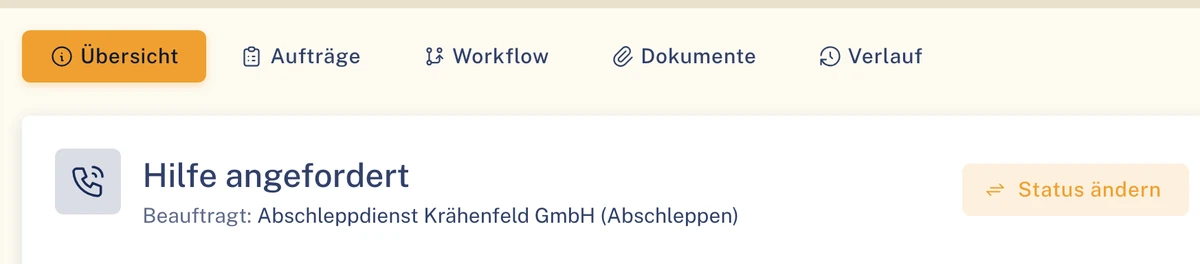 Defect file · OverviewDemo data
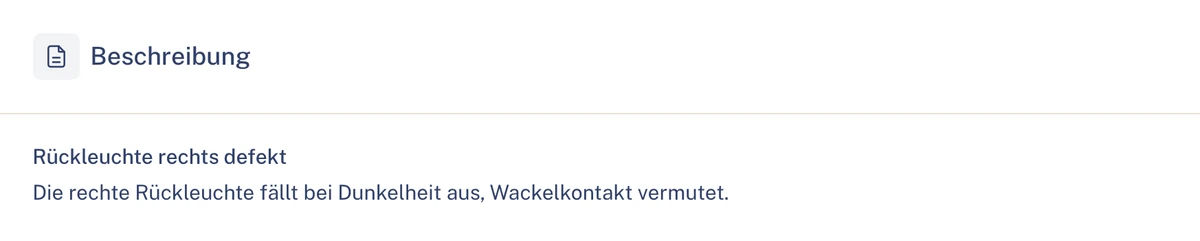 Violation fileDemo data
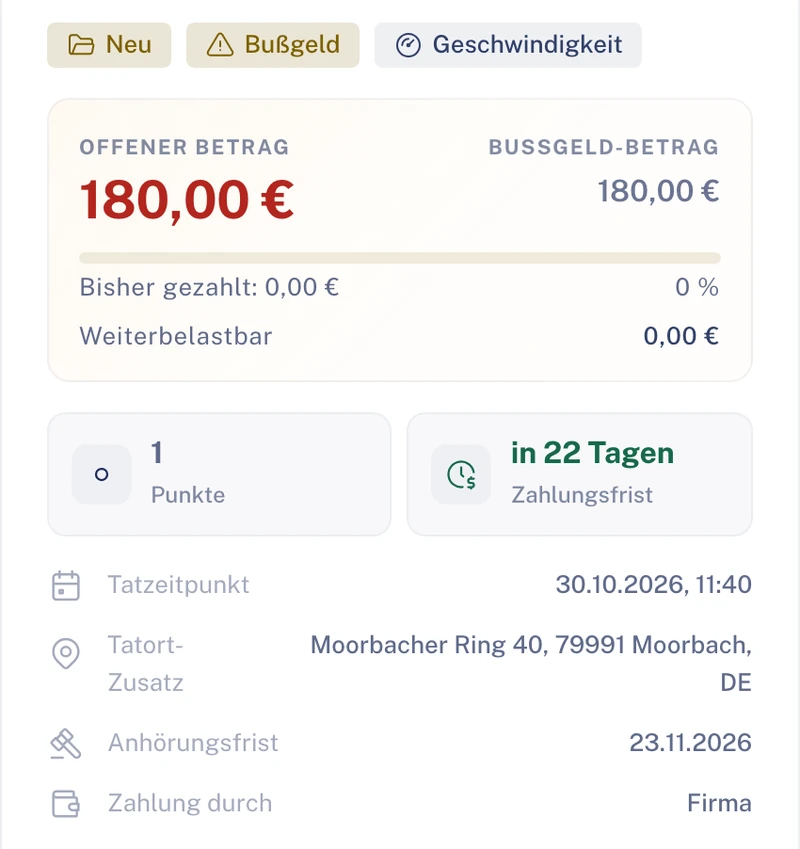
02.1File and timeline
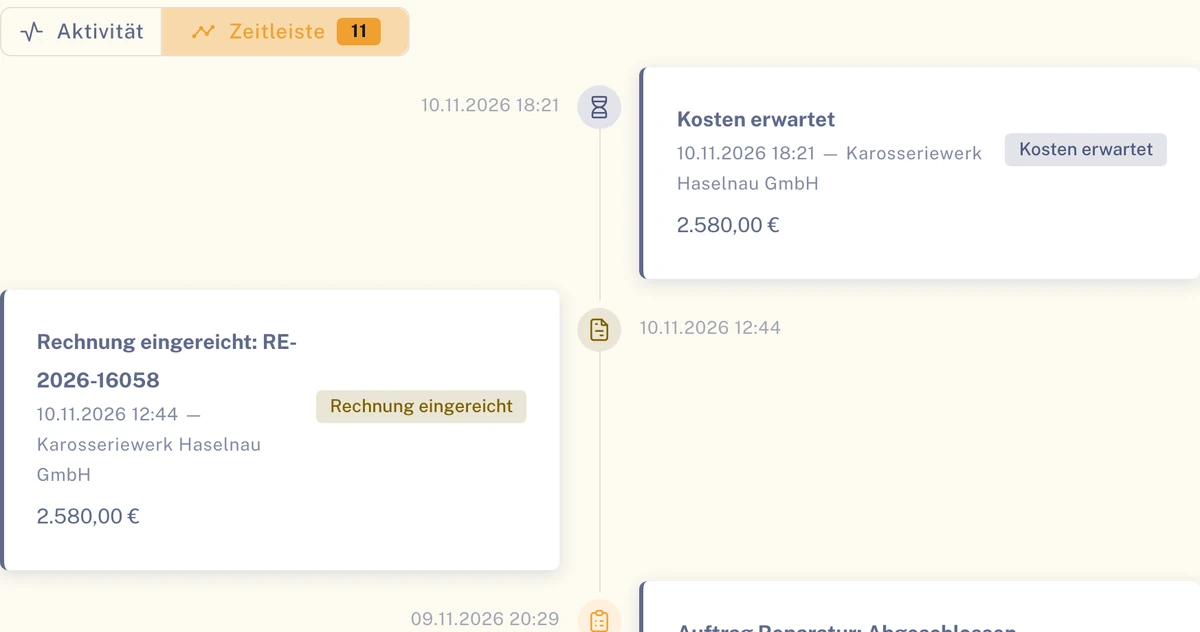
Amounts, insurance and contract on the left, the history on the right: the timeline shows every status change, workflow step and party in chronological order.
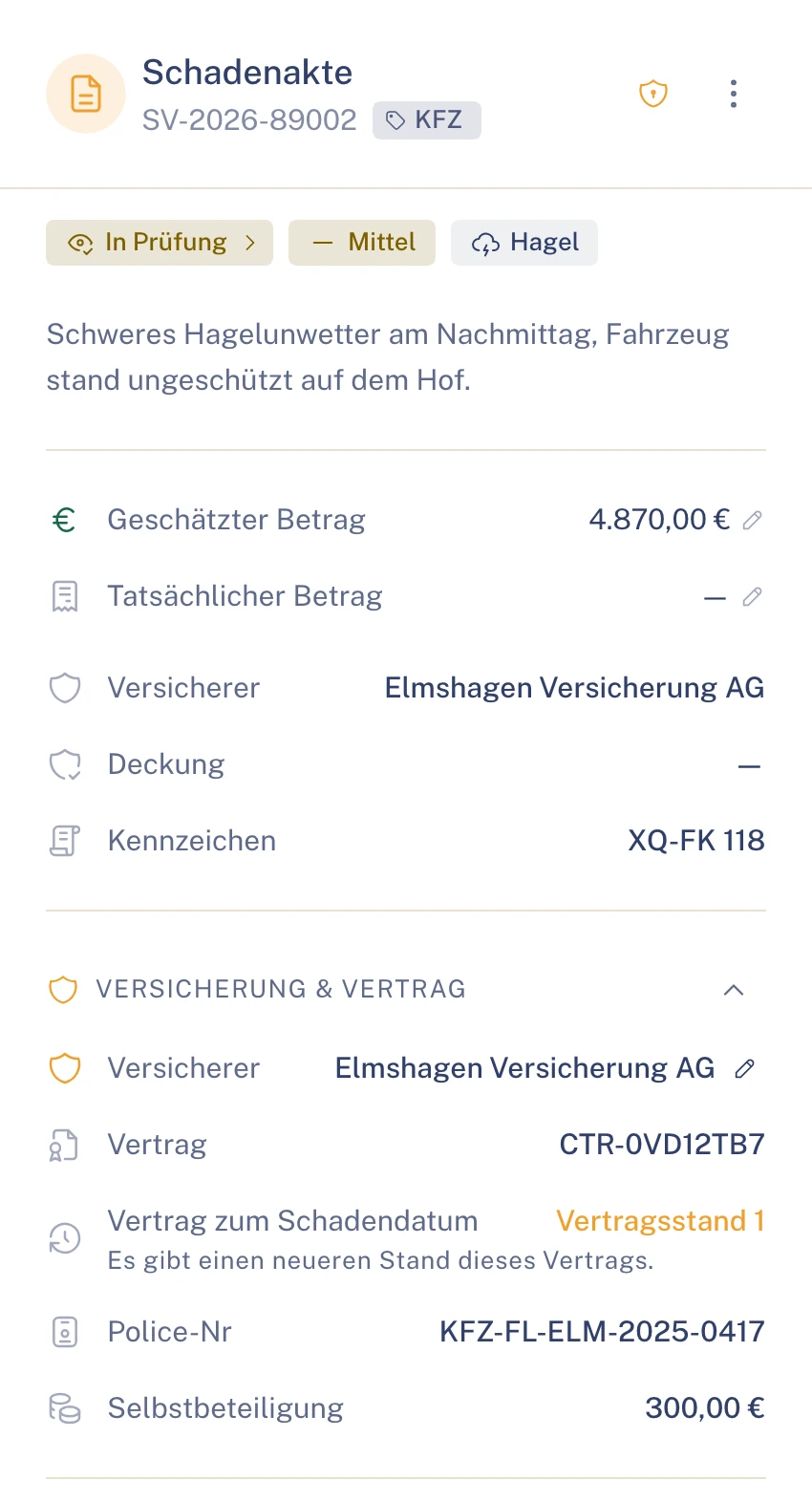 Claim file · TimelineDemo data
03Workflow
You define once how cases run. Clamio executes the process, commissions partners and obtains approvals. Discretion stays with people.
Station 01 · Conditions
The conditions under which the process starts, such as damage type, severity or coverage type, determine which process fits.
Trigger and conditionsIllustrationTrigger
ClaimBreakdownDefectViolation
Conditions
If everything fits, this process starts.
Station 02 · Classify
A versioned ruleset per fleet classifies coverage type, damage type, cause and causation. The review checklist (in preparation) gathers verifiable facts.
Review checklistIllustrationVerifiable facts, three states In preparation
Station 03 · Partner selection
You choose partners as fixed or preferred partners. Requests go out at once, one after another or at the same time.
Partner selection and dispatchIllustrationPartner selection
If one declines, the next is asked immediately, otherwise once the waiting time has elapsed.
This is where your service providers get on
 Towing service
 Garage
 Assessor
 Car rental
 Law firm
Station 04 · Approval
Cost-relevant decisions run via approvals. If you switch on the four-eyes principle, two people confirm – for cost estimates and invoices from an amount you set.
Inbox · ApprovalIllustrationIf you switch on the four-eyes principle, two people confirm – for cost estimates and invoices from an amount you set.
Station 05 · Deadlines
For approvals: the process waits until the decision is made.
Response deadline of a partner requestIllustrationStation 06 · Notification
Notifications in the portal and by email in the recipient’s language.
Inform those involvedIllustrationPartnerRequests arrive in the portal and by email. Driversees no claim amounts.FleetThe “Workflow” tab in the file shows every step.
A case is only closed once no orders or invoices are open.
In the graphical editor: classify, commission partners, obtain approvals, monitor deadlines and inform those involved.
The check run finds gaps, the test run plays the process through on a test claim.
The “Workflow” tab in the file shows every step, every result and every waiting time.
Applies to claim, breakdown, defect and violation. Requirement: Automation booked.
03.1Trigger and response deadline
Workflow · TriggerDemo data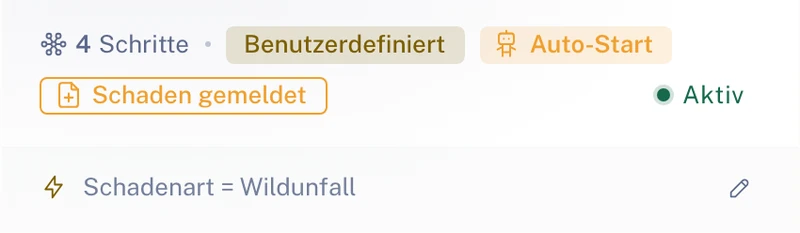
04Vehicles & drivers
The vehicle file brings together master data, assignments, contracts, deadlines and all cases of a vehicle.
Claims, breakdowns, defects, violations, assigned drivers and lock status per vehicle. Mileage comes from driver reports.
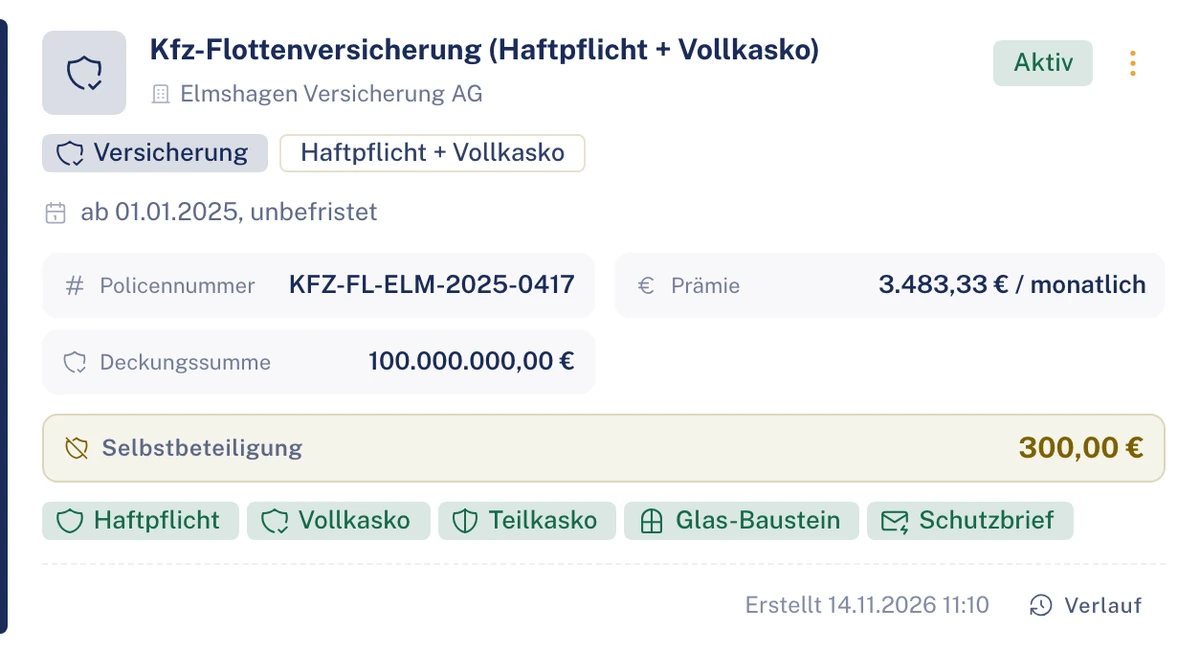
Insurance and leasing contracts with history.
Driving licence classes, validity and app status per driver.
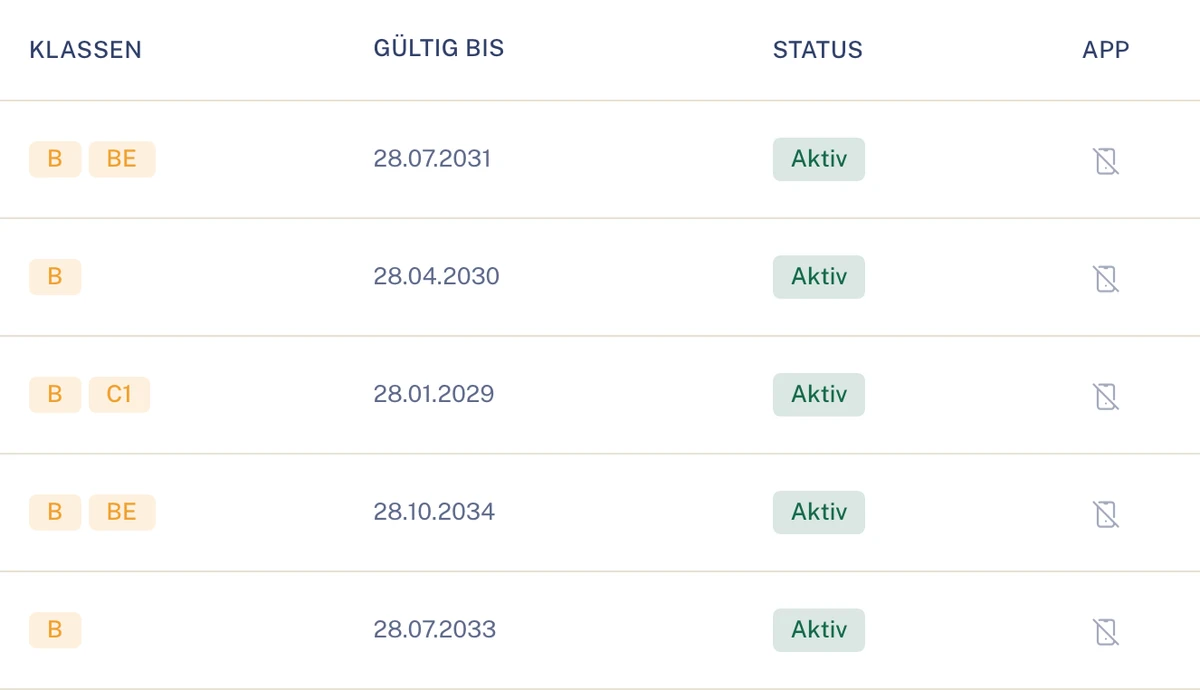
Clamio reminds you before expiry. The deadline “Driving licence expires” appears in good time; the driving licences are in the driver file under the “Driving licences” tab. Tyres (add-on module): too little tread automatically creates a tyre defect with a lock.
05Finance & export
Review invoices, track receivables, export lists.
Review and approve invoices, mark payments as paid. Optionally the four-eyes principle for cost estimates and invoices from an amount you set. You track receivables such as recourse, excess or recharge through to payment, dispute or waiver.
ReceivablesSample data
Chart of accounts (e.g. SKR03 or SKR04), adviser and client number and accounts per cost type – for the whole customer account or per organisation.
Clamio checks beforehand whether accounts and the confirmed payer are complete, and names missing details.
Booking export as a CSV file or as a DATEV booking batch in EXTF format for your accounts department or your tax adviser.
The DATEV export contains no driver names and no free text. Only authorised users may export and change settings.
You export lists as CSV; large exports run in the background.
Lists, e.g. claims
AI
People decide, Clamio suggests.
06Collaboration
Whoever gets on works in their own portal and only sees their own section.
Underwriting agent (MGA)Settlement on behalf
Hand claims handling over to an MGA, with areas, level and term, revocable at any time.
Solution for underwriting agentsInsurerShared cases
The insurer decides in its own approvals inbox and sees who has acted.
Solution for insurersService providersOrders when a claim occurs
Garage, assessor, towing service, car rental and law firm, in their own portal or via order link.
Solution for service providersFrequently asked questions
No. The driver signs in to the app and only sees their own cases.
Yes. You choose partners as fixed or preferred partners. Your own service providers without an account take part via a protected order link.
Every partner request has a response deadline. If one declines or does not answer within the deadline, the next is asked. If no partner is found, Clamio creates a manual intervention or an order without partner.
Always a person. If you switch on the four-eyes principle, two people confirm – for cost estimates and invoices from an amount you set.
Yes. One customer account bundles several organisations. Each organisation sees its own cases and those for which it has an order or delegated authority, or which it insures.
The workflow requires Automation to be booked. Breakdown, defect and tyres are add-on modules.
Data stored in data centres in the EU. Transmission is encrypted (TLS).
Demo
In a demo we show you the Fleet portal with the processes that matter for your fleet.

