IndustriesEnergy & utilities
Energy & utilities
When the response vehicle stops, the process starts at once.
Large, distributed fleets with response and service vehicles, strict inspection and documentation duties.
- large distributed fleets
- On-call duty
- Evidence duties


Starting point: utilities
What challenges the fleet in utilities
The fault-clearance service runs round the clock, the fleet is spread across sites and companies, and everything needs evidence.
Breakdown during on-call duty: who calls the towing services now?
With ClamioThe workflow. As soon as a report comes in, the process starts.
The fitter stands alone at the vehicle and waits.
With ClamioThey see in the app how far along the help is. The driver sees the arrival time in the app, even if it changes.
Grid, sales, generation: each company only wants to see its own data.
With ClamioOrganisations under one customer account, with roles and permissions per organisation.
May the response vehicle still go out with this defect?
With ClamioIf the defect is critical or the vehicle “not drivable”, it is locked. The garage reports the fix, the fleet re-checks.
An expensive repair starts before anyone has agreed.
With ClamioWith Automation the process waits for approval of the cost estimate, from your approval limit by two people if you switch on the four-eyes principle.
Accounting types in invoices per company.
With ClamioInvoices and lists go to accounting as a CSV file. Booking export as a CSV file or as a DATEV booking batch.
Everyday utilities
Three cases from on-call duty and operations
Case 1 · BreakdownAdd-on module
A response vehicle breaks down during on-call duty
A fault in the grid; the measuring vehicle is on its way and breaks down. As soon as the driver reports the breakdown, the process starts.
Report
Whose turn: Driver
The driver reports the breakdown with location in the app.
First requestwith Automation
Whose turn: FleetTowing service 1
The process starts with the report. The workflow asks the first towing service.
No answer
Whose turn: Towing service 1
The first service does not react. Its response deadline expires.
Next servicewith Automation
Whose turn: FleetTowing service 2
If one declines or does not answer within the deadline, the next is asked.
Arrival
Whose turn: Towing service 2Driver
The second service accepts and sets the appointment. The driver sees the arrival time.
History
Whose turn: Fleet
Later the fleet reads in the file’s history what was triggered when.
- What the fitter sees
- How far along the help is and when it will arrive. Amounts stay hidden from them.
- On the order
- Distance, estimated costs and later the invoice.
Case 2 · Claim
A claim turns out larger
A cherry picker scrapes a gate; the repair becomes expensive. Such amounts should not be waved through by one person alone.
Screenshot
Whose turn: Driver
The driver reports the claim with guidance, with photos.
Commissioningwith Automation
Whose turn: FleetGarage
The workflow commissions the garage. It accepts the order.
Cost estimatewith Automation
Whose turn: Garage
The garage submits the cost estimate. The process waits.
Approvalwith Automation
Whose turn: FleetInsurer
The party you define in the step decides: fleet, insurer or underwriting agent (MGA). Optionally with the four-eyes principle.
Repair
Whose turn: Garage
After approval the garage repairs and submits the invoice in the portal.
- For the driver
- Status of the report, no amounts.
Case 3 · DefectAdd-on module
Defect on the response vehicle: locked, fixed, re-checked
A response vehicle must be safe when it goes out. Before the journey the driver notices that something is wrong.
Not drivable
Whose turn: Driver
The driver reports the defect with a photo and states “not drivable”.
Provisional lock
In the file
This statement locks the vehicle provisionally. The driver is informed not to use it.
Check lock
Whose turn: Fleet
The fleet confirms the lock or lifts it, lifting with a reason.
Repair
Whose turn: Garage
The garage fixes the defect and reports the fix in its portal.
Re-check
Whose turn: Fleet
The fleet re-checks and lifts the lock. Both are in the defect file.
- For occupational safety
- Report, lock, fix and re-check can be read without gaps.
- For on-call duty
- A locked vehicle is marked before it is reassigned.
Illustration Thick line: the case in Clamio. Coloured lines: who acts. Filled station: rule or automation.
Workflow in utilitieswith Automation
On-call duty: the workflow finds the towing service
As soon as the breakdown is reported, the process starts. You determine which partners are asked, fixed or preferred. The process sends the request out at once, one after another or at the same time.
A breakdown during on-call duty, step by step
- DriverBreakdown reportedWith location, in the app. This starts the process.
- WorkflowTowing service 1 askedBy your partner selection, dispatch one after another.
- Towing service 1No answerThe response deadline expires.
- WorkflowTowing service 2 askedIf one declines or does not answer within the deadline, the next is asked.
- Towing service 2Accepted: DispatchedThe fleet’s claims handlers will be notified.
- Towing service 2Appointment setThe arrival time is shown in the breakdown file and in the app.
- Towing service 2En Route, then DeliveredDistance and estimated costs on the order.
- FleetInvoice decidedIn the same file. Only then is the case closed.
Illustration Without times and without deadline length: you set the response deadline per tier.
What you set up for this
Choose dispatch
Ask one after another: if a service declines or does not answer, the next is asked. If one declines, the next is asked immediately, otherwise once the waiting time has elapsed.
Or all at once
Ask at the same time: as soon as one partner accepts, the request is settled for the others. If one declines, the request to the others stays open.
Define partners
In the step “Order a provider” you define under “Partner selection”: Fixed partner or Preferred partner.
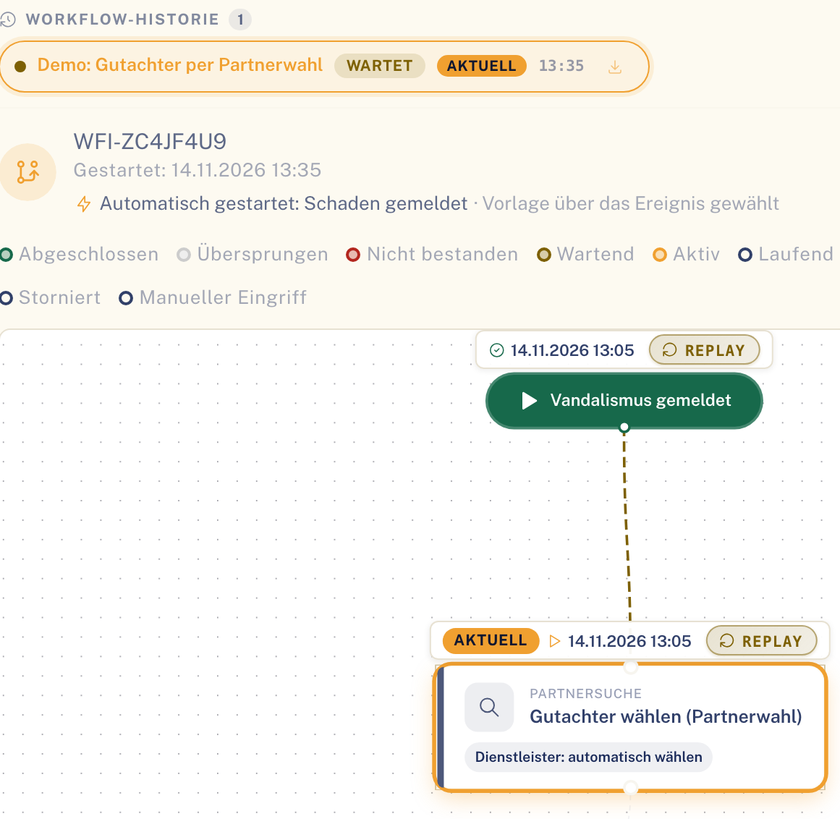
Partner selection as a step in the process of a file. Sample data. If nobody accepts
Once all partners have been tried, the order stays open and a person steps in. The process does not wait in silence.
Breakdown is an add-on module. Requirement for the process: Automation booked. See Automation
Approvals and costs
Expensive repairs only after approval
Every audit asks two questions: who agreed, and where is the record?
Approval before the repair
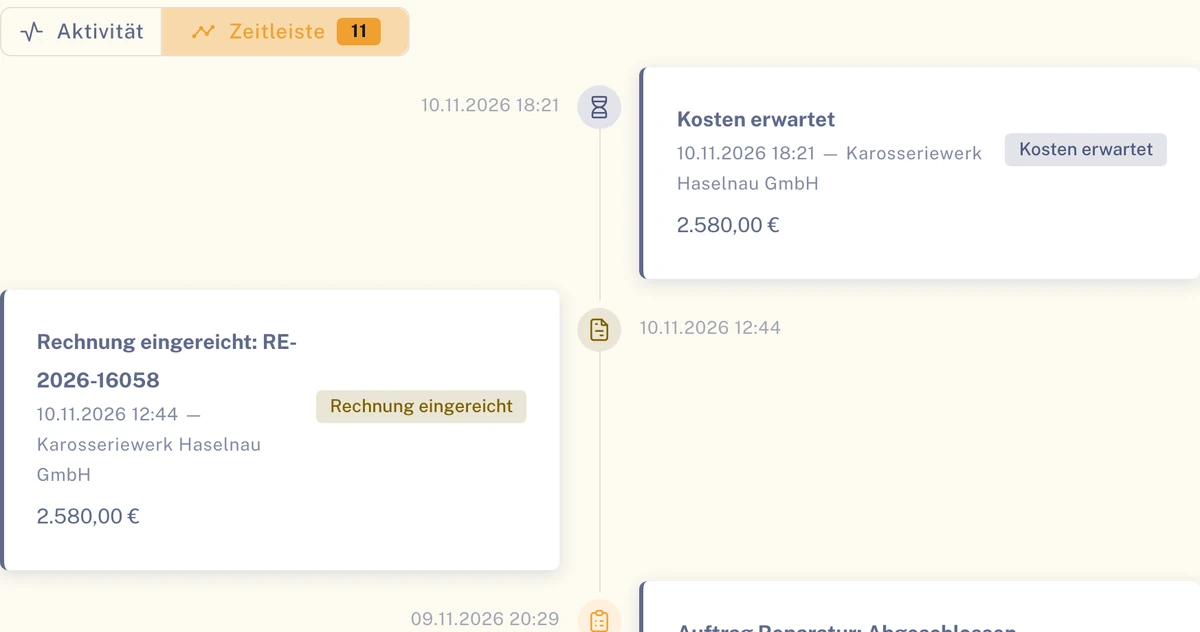
- The step “Submit cost estimate” with “Approval required” creates a cost approval; the process waits until the decision is made.
- Who decides is up to you: fleet, insurer or MGA with write authority.
- From an approval limit that you set, two people confirm if the four-eyes principle is switched on.
- Optionally the four-eyes principle for cost estimates and invoices from an amount you set.
Export for accounts
- Invoices and lists as a CSV file.
- Booking export as a CSV file or as a DATEV booking batch.
Benefits in utilities
What your organisation gets out of it
Head of fleet
One picture across all sites: dashboard with claims trend and open claims.
Your on-call team
Breakdown assistance is asked without anyone having to phone. The driver knows the arrival time.
Accounts
Invoices and lists as a CSV file. Booking export as a CSV file or as a DATEV booking batch.
Audit
Approvals and status changes can be read with person and time.
Modules in utilities
What matters most in utilities
For distributed fleets with on-call duty, process, evidence and separation by company come first.
Workflow
with AutomationPartner selection, approvals and tasks as a process for claim, breakdown, defect and violation. Templates can be checked and played through in a test run.
Breakdown assistance
Add-on moduleThe Breakdown module: report with location, request to the towing service, arrival time from its appointment.
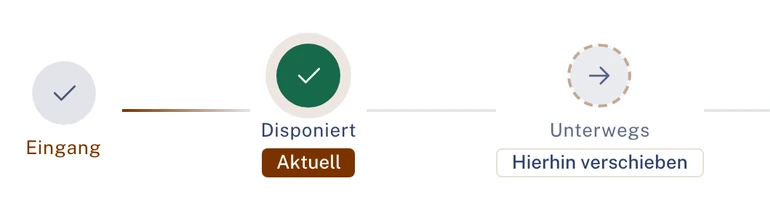
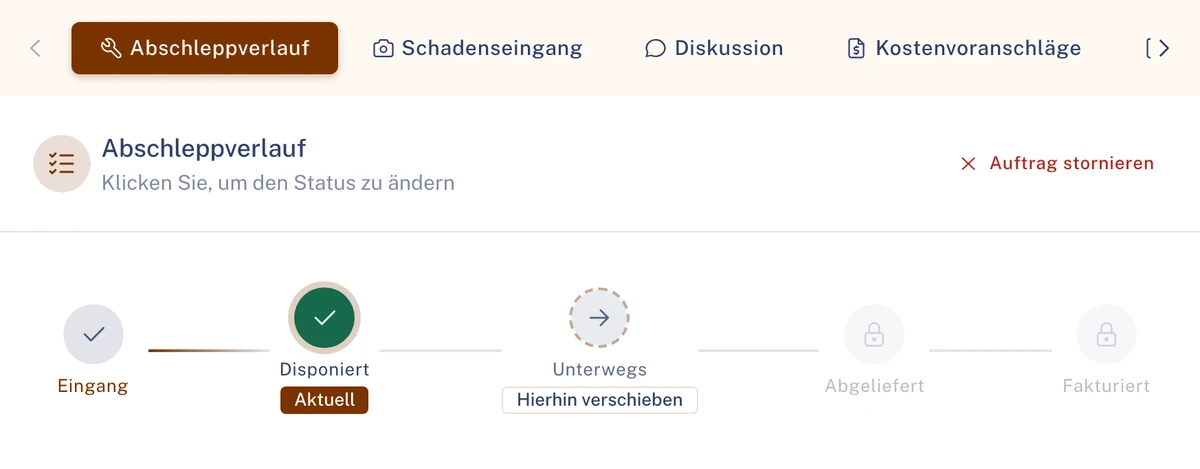
Status of an order in the Towing portal. Sample data. Defect & lock
Add-on moduleSeverity, deadline and vehicle lock. A lock is only lifted by a person, with a reason.
Vehicles & assignment
Vehicles with number plate, status and ownership. Drivers are assigned to vehicles for a period.
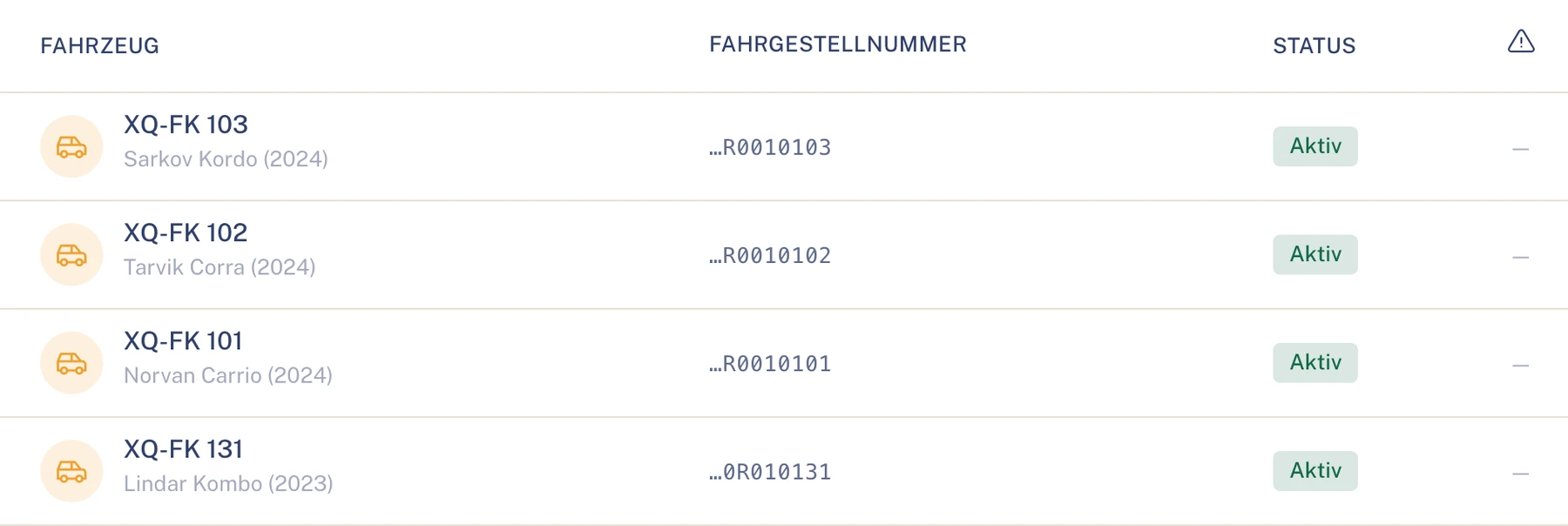
Vehicle list: number plate, status. Sample data. Key figures
Key figures with fixed definitions per role. In the key-figure analyses, very small groups are hidden automatically. Lists as CSV.
Organisations & roles
Companies and sites as organisations under one customer account, each organisation with its own roles and permissions.
Roles in utilities
Who takes part in utilities
- FleetPortalDefines processes, partners and approval limit and consults the audit log.To the solution Fleet
- Driverapp onlyReports breakdown, claim and defect in the app and sees the arrival time.To the solution Driver
- Towing servicePortalIs asked by the workflow, accepts and sets the appointment.To the solution Towing service
- GaragePortalSubmits the cost estimate, repairs and reports fixed defects.To the solution Garage
- InsurerPortalDecides approvals if you define it that way in the process.To the solution Insurer
- Underwriting agent (MGA)PortalDecides on behalf, with write authority.To the solution Underwriting agent (MGA)
Also involved
- AssessorPortalFor larger claims: expert reports into the file.To the solution Assessor
- Car rentalPortalReplacement vehicle after a claim or breakdown.To the solution Car rental
Many sites, one customer account
- Separation
- Grid company, sales and generation work as organisations of their own in the same customer account.
- Evidence
- Changes to cases, approvals and data sharing are in the audit log, with person and time.
- Portals
- Insurers and underwriting agents work via their own portals, with the permissions you grant.
- Hosting
- Data held in data centres in the EU, transport encrypted (TLS).
Questions in utilities
Questions from municipal utilities and grid operations
Can we separate sites or companies?
Yes. Each company and each site can be an organisation under your customer account, with roles and permissions per organisation.
What happens in a breakdown during on-call duty?
As soon as a report comes in, the process starts. If one declines or does not answer within the deadline, the next is asked. Requirement: Automation booked.
Does the four-eyes principle apply to everything?
To cost estimates and invoices, if you switch it on. From your approval limit, two people confirm.
What is in the audit log?
Changes to cases, approvals and data sharing are in the audit log, with person and time.
Can insurers and underwriting agents take part?
Yes, via their own portals with the permissions you grant.
How do the costs get into accounting?
You export invoices and lists as a CSV file. Booking export as a CSV file or as a DATEV booking batch.
Does Clamio transfer directly to DATEV?
No. You export a file and pass it on to accounting or your tax adviser. Booking export as a CSV file or as a DATEV booking batch.
Industries besides utilities
See Clamio for your utilities fleet
In the demo a breakdown during on-call duty runs through: request, deadline expiry, next service, arrival time. Then we show approval and export.