IndustriesCare & social services
Care & social services
Many hands at the wheel, simple administration.
Many drivers with changing vehicles, often working shifts. Administration should stay simple.
- Shift work
- changing drivers
- different languages
- simple to use


Starting point: care
What slows down daily work with changing drivers
One small car, three shifts, five people in a week. Care has no time to spare for fleet questions.
The scratch is only noticed by the next shift. Who was it?
With ClamioWhoever notices it reports it immediately, with photos. If several people drive the same vehicle, the assignment with its period shows who had it when.
Many languages are spoken in the team.
With ClamioThe app speaks the driver’s language. There are eight languages to choose from.
There is no time for training; staff change.
With ClamioThe app is reduced to reporting and confirming; existing data is prefilled.
Staff fear being monitored.
With ClamioEach driver only sees their own cases. There is no ranking of drivers.
A parking ticket from a home visit; three people had the car.
With ClamioThe fleet assigns the violation to the driver at the time of the offence. The deadline is in the file.
Several facilities under one provider.
With ClamioEach facility becomes an organisation under your customer account, with roles and permissions per organisation.
Everyday care
Three cases from shift work
Case 1 · Claim
The late shift notices a scratch
The early shift parks the car, the late shift gets in. There is something on the wing that was not there yesterday.
Notice
Whose turn: Driver
The late-shift driver sees the scratch before setting off.
Sketch and photos
Whose turn: Driver
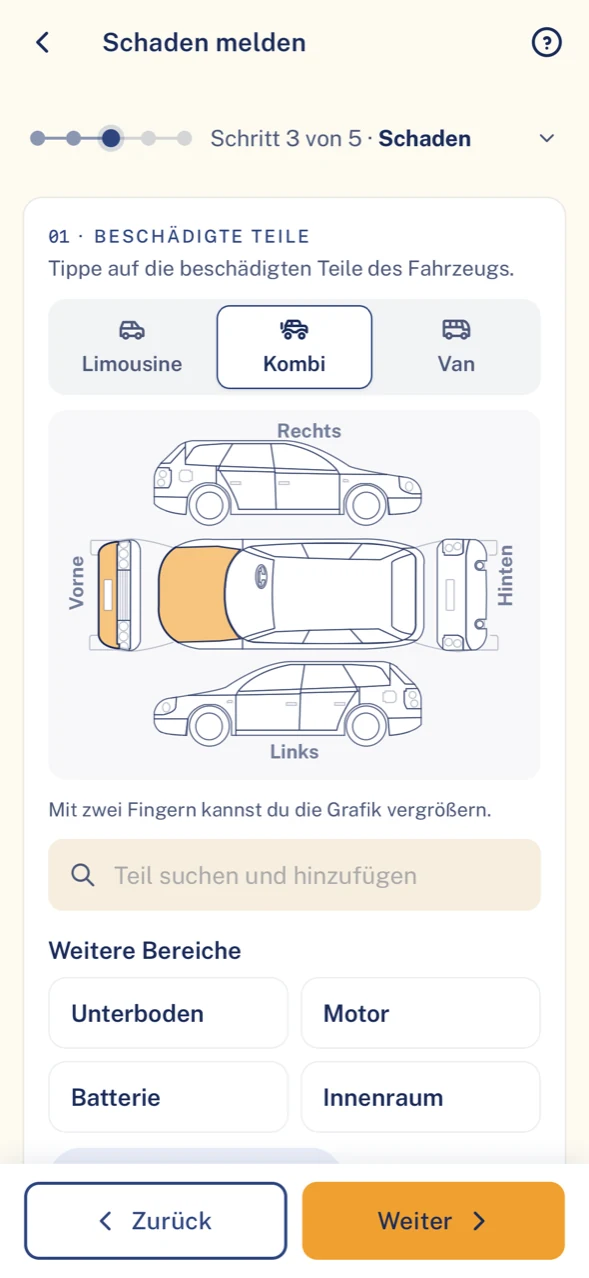
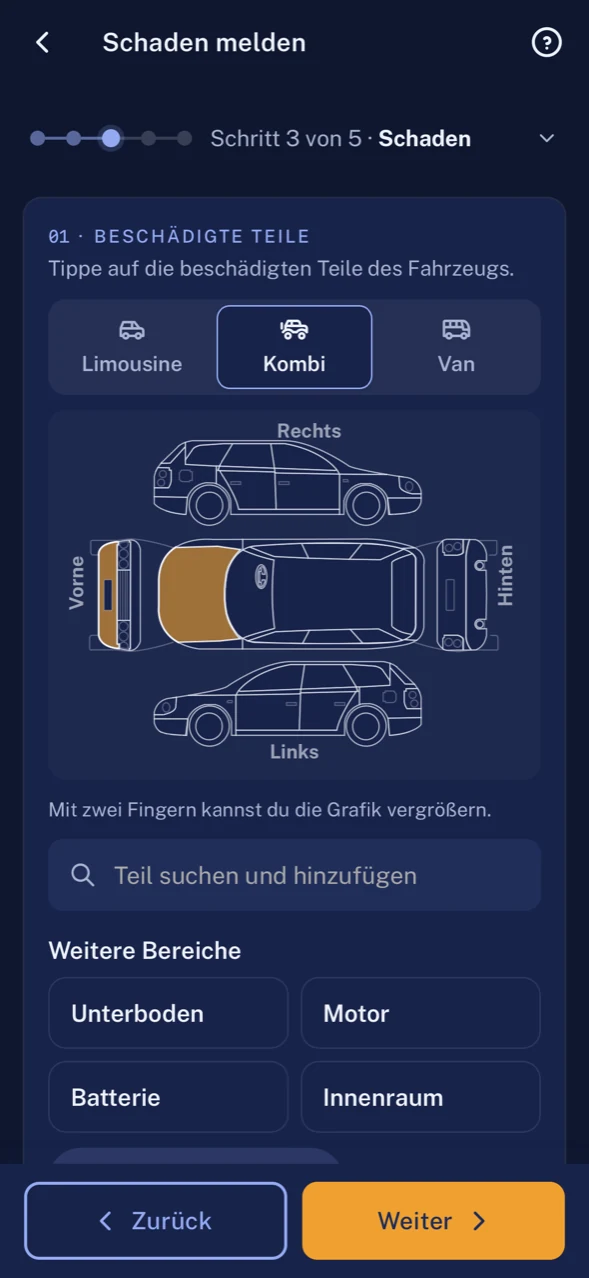
They report the claim with guidance in the app and mark the spot on the vehicle sketch, with photos.
Received
Whose turn: Fleet
The report arrives in the office as a claim file. Vehicle and driver are assigned.
Period
Whose turn: Fleet
If several people drive the same vehicle, the assignment with its period shows who had it when.
Garage
Whose turn: Garage
If a repair is carried out, the garage receives the order in its portal.
- In the app
- The report and its status. No costs.
- For the office
- Photos, vehicle and driver are there before anyone has to ask.
Case 2 · Claim
A driver reports in her own language
German is the second or third language for many in the team. A claim report should not fail because of that.
Language
Whose turn: Driver
The driver uses the app in her language, for example Polish.
Guided reporting
Whose turn: Driver
The report leads in steps through vehicle parts, photos and location. Vehicle and location are prefilled.
Draft
Whose turn: Driver
If a photo is missing, the report stays saved as a draft and is completed later.
Claim
Whose turn: Fleet
On completion the draft becomes a claim in the Fleet portal, with vehicle and driver.
- Eight languages
- German, English, Spanish, French, Italian, Polish, Portuguese, Turkish.
- Devices
- iOS, Android and iPad, portrait and landscape.
Case 3 · Violation
A parking ticket during a home visit
Parked briefly, needed longer. The letter arrives in the office weeks later.
Letter
Whose turn: Fleet
The warning fee arrives in the office, addressed to the keeper.
Record
Whose turn: Fleet
The fleet creates the violation, with time and place of the offence.
Who drove
Whose turn: Fleet
It assigns it to the driver at the time of the offence, even if several people had the car that day.
In the app
Whose turn: Driver
The driver sees her violation in the app, without amounts, and can upload documents.
Deadline
Whose turn: Fleet
The deadline is in the file and runs visibly.
- In the violation file
- Amount, payment deadline, time of the offence and who pays.
- Recharge
- The fleet decides whether to recharge the driver.
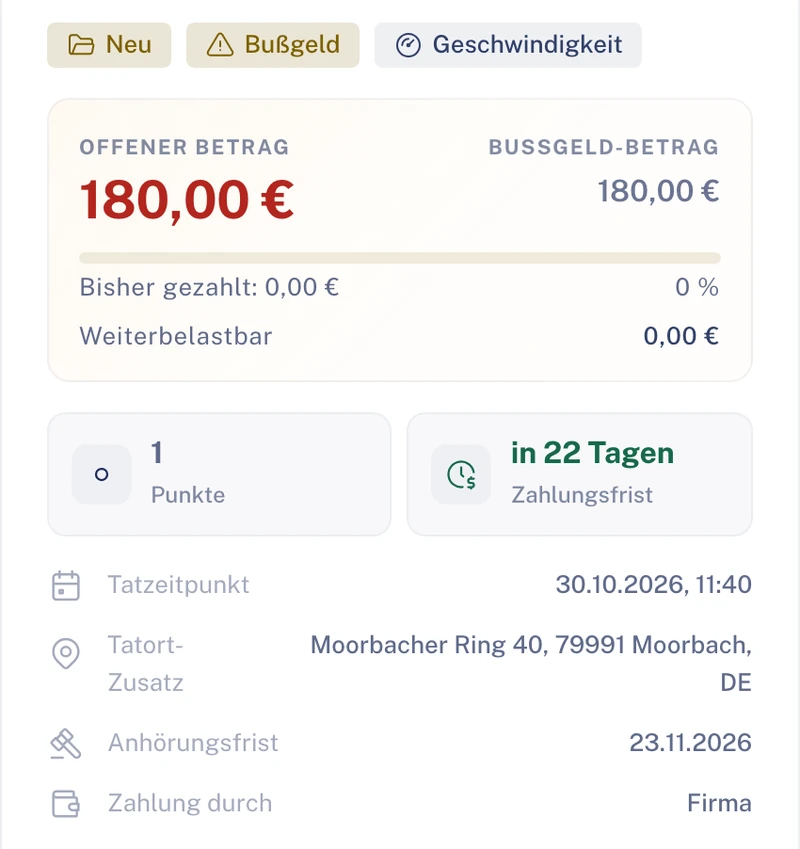
Illustration Thick line: the case in Clamio. Coloured lines: who acts. Filled station: rule or automation.
Workflow in carewith Automation
Shift change, scratch, process running: without phoning around afterwards
As soon as a report comes in, the process starts. Ask the garage, obtain approval, inform those involved: each side only sees what it needs.
One scratch, three views of it. Who sees what?
The driver in the app
She sees her own report and its status. She needs no more, and she gets to see no more.
- VisibleOwn report, status, own tasks
- HiddenCosts, liability, insurance decisions
- Never visibleOther drivers’ cases
The office in the Fleet portal
The whole file is here: photos, vehicle, driver, orders and, with the matching permission, the costs.
- VisibleClaim file with photos, vehicle and driver
- With the “Costs” permissionAmounts, invoices, receivables
- DecidesGarage, approval, closure
The garage in its portal
Partners only see cases in which they are commissioned. Driver data only appears once you share it.
- VisibleIts order with description, photos, damage sketch
- AmountsIts own order amounts
- Only after sharingDriver data and other amounts
Illustration Visibility by role, shown in simplified form.
After the report
Trigger
The reported claim starts the process whose conditions fit.
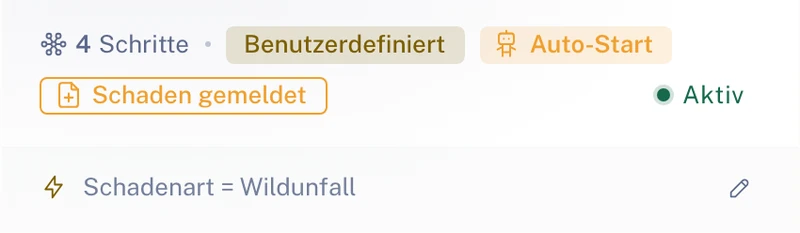
Trigger and condition of a process. Sample data. Garage
The workflow asks your garage. If it declines or does not answer within the deadline, it is the next one’s turn.
Cost question
The party you define approves the cost estimate before the repair.
In the file
The file’s “Workflow” tab shows what the process has done. The file shows who decided what and when.
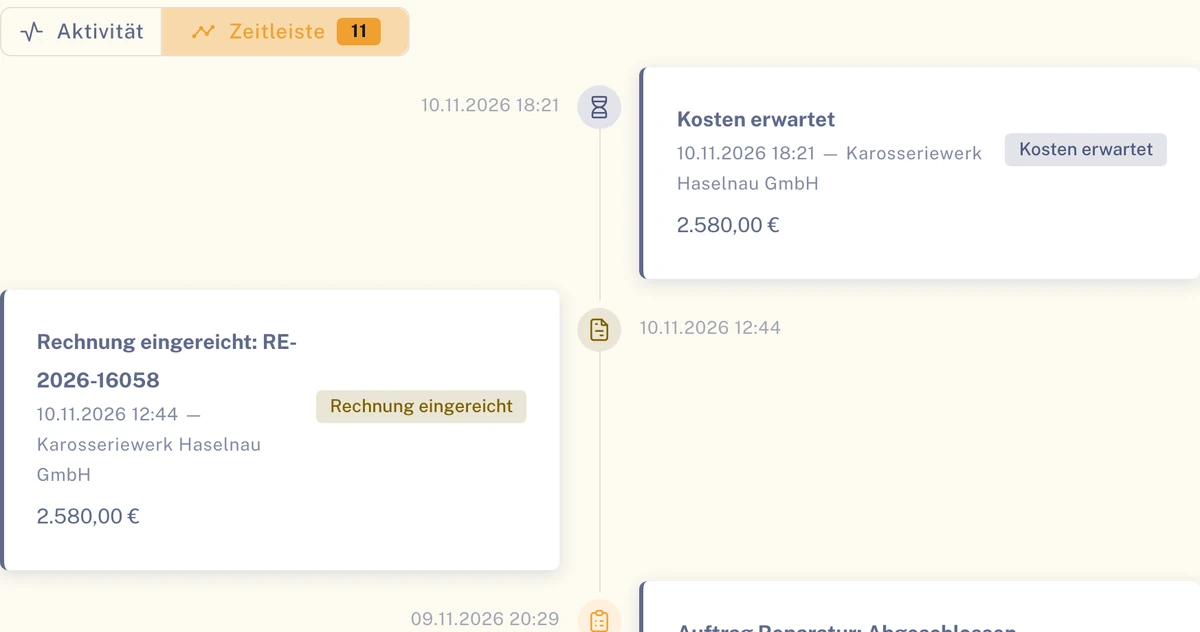
Timeline of a claim file. Sample data.
Requirement for the steps after the report: Automation booked. See Automation
Language and trust
Only their own. No amounts.
An app that staff like to use must neither monitor nor overwhelm them.
What your drivers get out of it
- The interface in their own language.
- Reporting in steps, with photos; existing data is already entered.
- Tasks with checklists and “My day” with appointments, deadlines and notices.
- They only see their own cases. Costs, liability and insurance decisions are hidden.
- German
- English
- Spanish
- French
- Italian
- Polish
- Portuguese
- Turkish
What the office gets out of it
- Claims arrive complete: with photos, vehicle and driver.
- Driving licence classes and validity per person in one list.
- Facilities separated as organisations, with their own roles and permissions.
- No driver rankings, no scores, no telematics analysis.
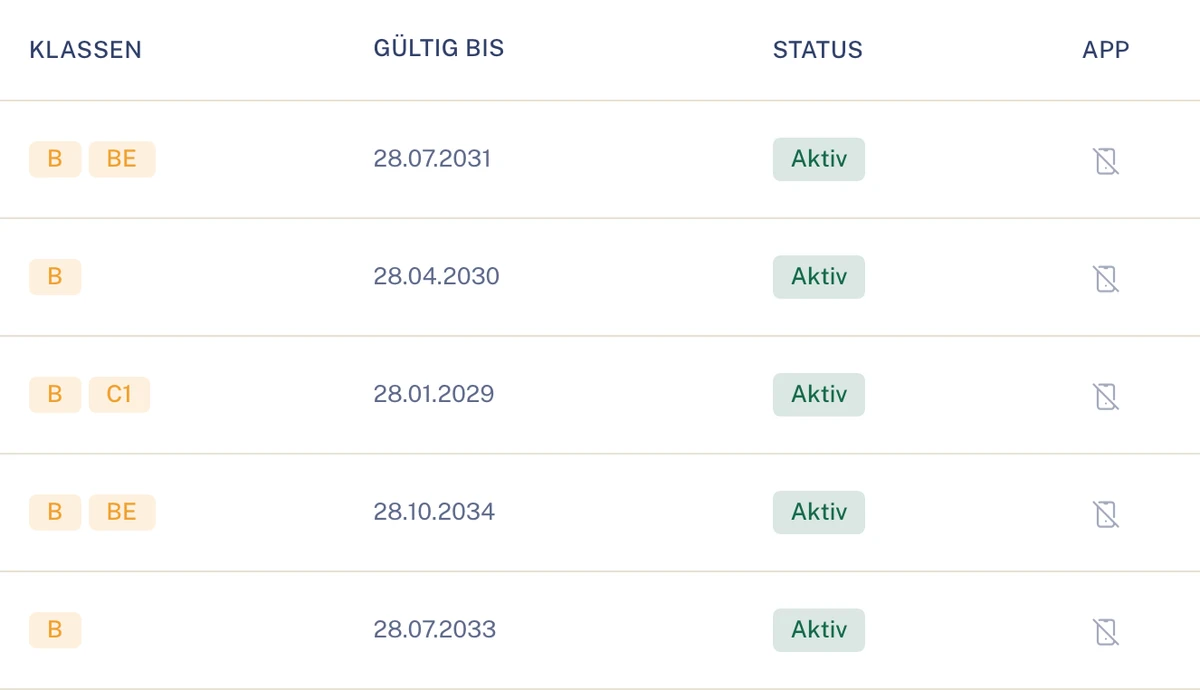
Benefits in care
What your facility gets out of it
Office
Claims arrive with photos, vehicle and driver. The assignment with its period shows who had the car.
Your care service management
Staff report themselves and in their own language. The round does not have to wait for it.
Data protection at the provider
Each driver only sees their own; partners only see their order.
Drivers
An app reduced to reporting and confirming, without amounts and without ratings.
Modules in care
What matters most in care
For services working shifts, simple reporting, language and clear assignment matter. You can add everything else in Clamio later.
Vehicle assignment
Driver and vehicle with period. Several drivers can be signed in on a shared tablet.
Driver app in eight languages
The same app for everyone in the team, each person in their own language. On smartphone and tablet.
Claim report
Guided report with vehicle sketch and photos. In the file, vehicle and driver are assigned.
Warning fees and fines
Violations with assignment to the driver and deadlines. Drivers see their own violations without amounts.
Driving licence and deadlines
Under “My driving licence” the driver sees classes, validity and status and receives a notice when it is about to expire. Plus HU, AU and UVV of the vehicles.
Tasks & My day
Tasks with checklists, for example “Upload documents”: the driver receives a link and submits the documents for their claim. “My day” brings together appointments, deadlines and notices.
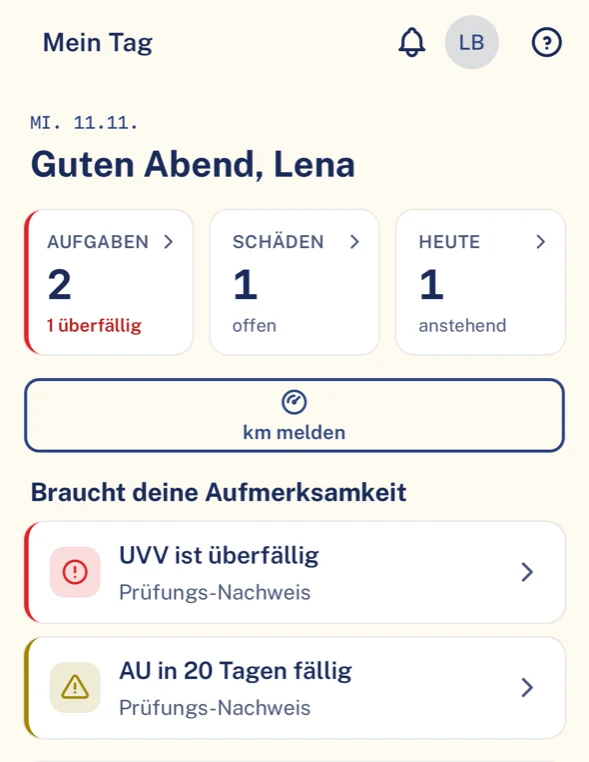
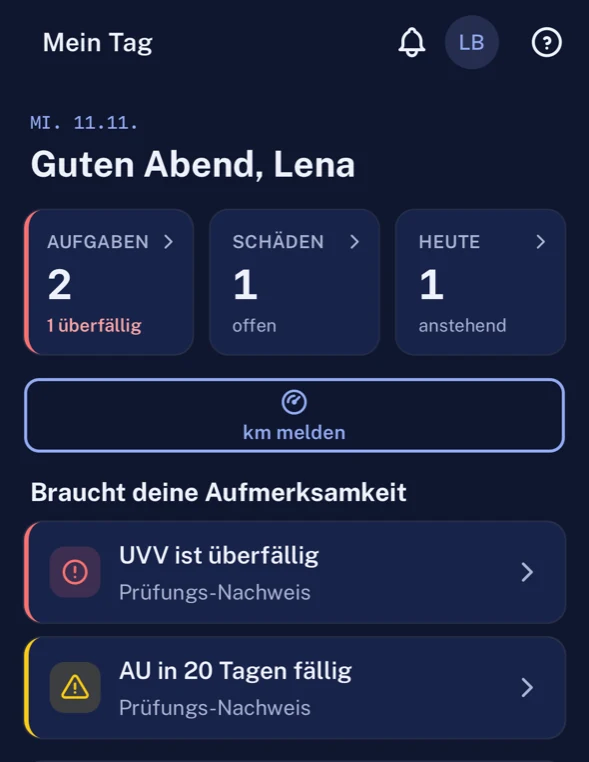
“My day” with tasks and notices. Sample data.
Roles in care
Who takes part in care
- FleetPortalOffice or care service management: assigns claims and violations, commissions and approves.To the solution Fleet
- Driverapp onlyReports in their own language and sees the status of the report.To the solution Driver
Also involved
- GaragePortalRepairs when a claim is to be repaired.To the solution Garage
- InsurerPortalGets on as soon as a claim has to be settled.To the solution Insurer
- Underwriting agent (MGA)PortalTakes on the settlement of a claim if you grant it delegated authority.To the solution Underwriting agent (MGA)
Careful with your staff’s data
- View
- Drivers see exclusively their own cases.
- Amounts
- Costs, liability and insurance decisions do not appear in the app.
- Facilities
- Each facility can be an organisation of its own, with its own roles and permissions.
- Data location
- Data stored in data centres in the EU. Transmission is encrypted (TLS).
Questions in care
Questions from care services and providers
In which languages is the app available?
German, English, Spanish, French, Italian, Polish, Portuguese, Turkish.
Do drivers see other people’s data?
No, each driver only sees their own cases.
Do we need training?
The app is reduced to reporting and confirming; existing data is prefilled.
Are staff rated via the app?
No. Clamio does not award scores to drivers. Costs are hidden from drivers.
Can we run facilities separately?
Yes, with organisations under one customer account and roles and permissions per organisation.
Do temporary staff need access to the office system?
No. Temporary staff also only use the app and only see their own cases there.
Does the app also run on a tablet at the station?
Yes, on iOS, Android and iPad, portrait and landscape. Several drivers can be signed in on a shared tablet.
How it looks in other industries
See Clamio for your care service
We show you a claim report in a second language, the file for it in the office and a violation with a deadline.