IndustriesLogistics & transport
Logistics & transport
Keep rounds on track, even when something happens.
Many vehicles, many drivers, tight rounds. Every failure delays deliveries, and claims, breakdowns and fines come from all directions.
- Vehicle availability
- many drivers in rotation
- fines with deadlines
- breakdowns on the road


Starting point: logistics
What slows down your dispatch team’s day
Three things cost time every day in logistics: breakdowns on the road, fines with deadlines and drivers who change constantly.
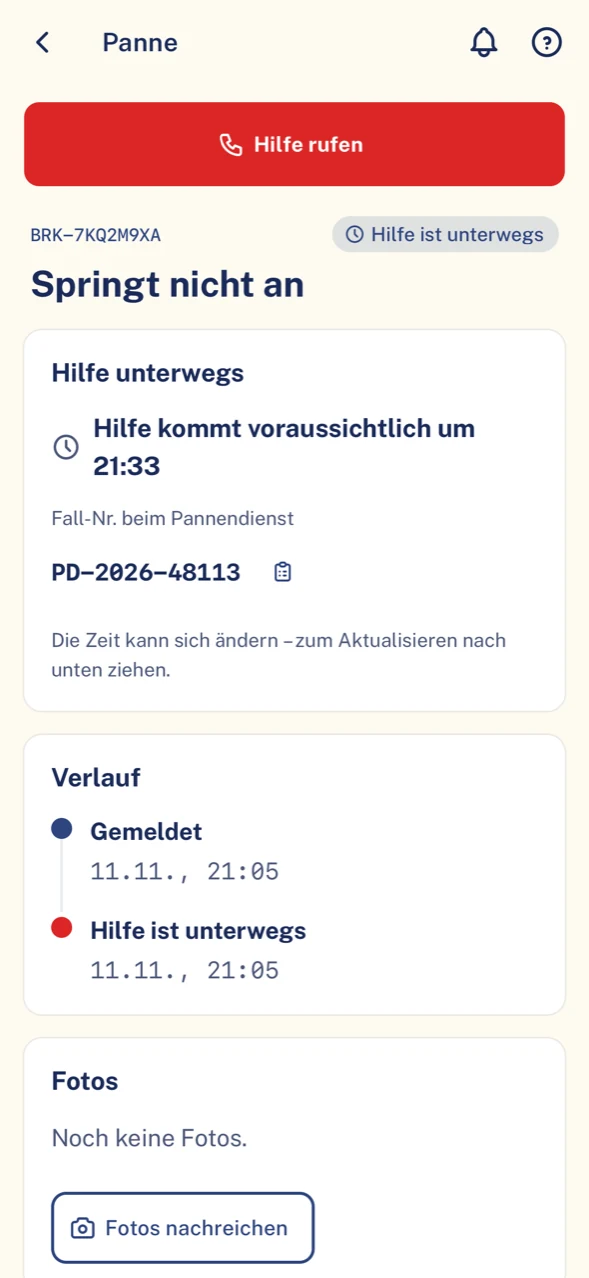
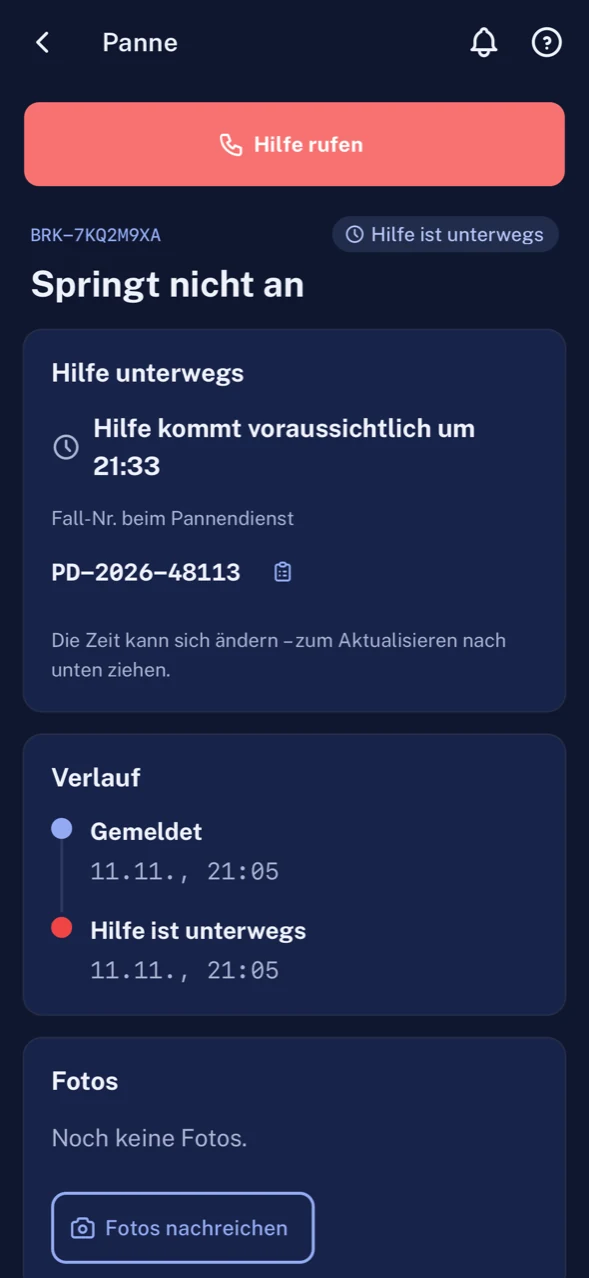
Breakdown on the round, and nobody knows when help is coming.
With ClamioThe driver reports the breakdown in the app. The towing service sets the appointment; the arrival time in the breakdown file and in the app follows from it.
Someone has to call towing services one after the other.
With ClamioWith Automation the workflow does that: it asks your partners one after another or at the same time, each tier with a response deadline.
The fine notice arrives; the driver has long since changed.
With ClamioThe fleet assigns the violation to vehicle and driver. Payment and hearing deadlines are in the violation file.
A defect is noticed before departure; the vehicle leaves the yard anyway.
With ClamioThe driver reports it with a photo. At critical severity or “not drivable” the vehicle is locked automatically.
Invoices from towing service and garage arrive by post.
With ClamioPartners submit their invoice in their own portal. It is in the same file as the case.
Many languages are spoken among the drivers.
With ClamioThe app speaks the driver’s language. Vehicle, mileage and location are prefilled.
Everyday logistics
Three cases from the round
Case 1 · BreakdownAdd-on module
A van breaks down on its round
The load is on board, the engine no longer starts. From here what counts is how quickly help arrives and whether your dispatch team learns of it.
Report
Whose turn: Driver
The driver reports the breakdown in the app: type of breakdown, drivable or not, towing needed. The location is prefilled.
Order a providerwith Automation
Whose turn: Fleet
The workflow asks your towing services, one after another or at the same time. You have defined the partners beforehand.
Accept
Whose turn: Towing service
The towing service accepts in its portal; the order is set to “Dispatched”. Your claims handlers are notified.
Appointment
Whose turn: Towing serviceDriver
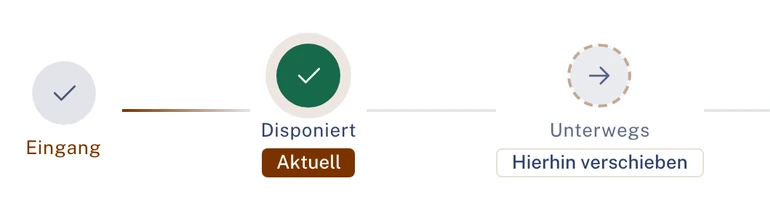
The towing service sets the appointment. The arrival time follows from it and is shown in the breakdown file and in the app.
Replan
Whose turn: Fleet
Your dispatch team reads the arrival time in the file and replans the round, without phoning around.
Invoice
Whose turn: Towing serviceFleet
The towing service submits the invoice in the portal. You review it in the same file; only then is the breakdown closed.
- In the Driver app
- Status of the help and arrival time. The driver sees no amounts.
- In the breakdown file
- Orders, documents and history of the breakdown in one place.
Case 2 · Violation
A fine notice arrives in the office
Weeks lie between the date of the offence and the notice; the vehicle has had several drivers since. The deadlines run regardless.
Create
Whose turn: Fleet
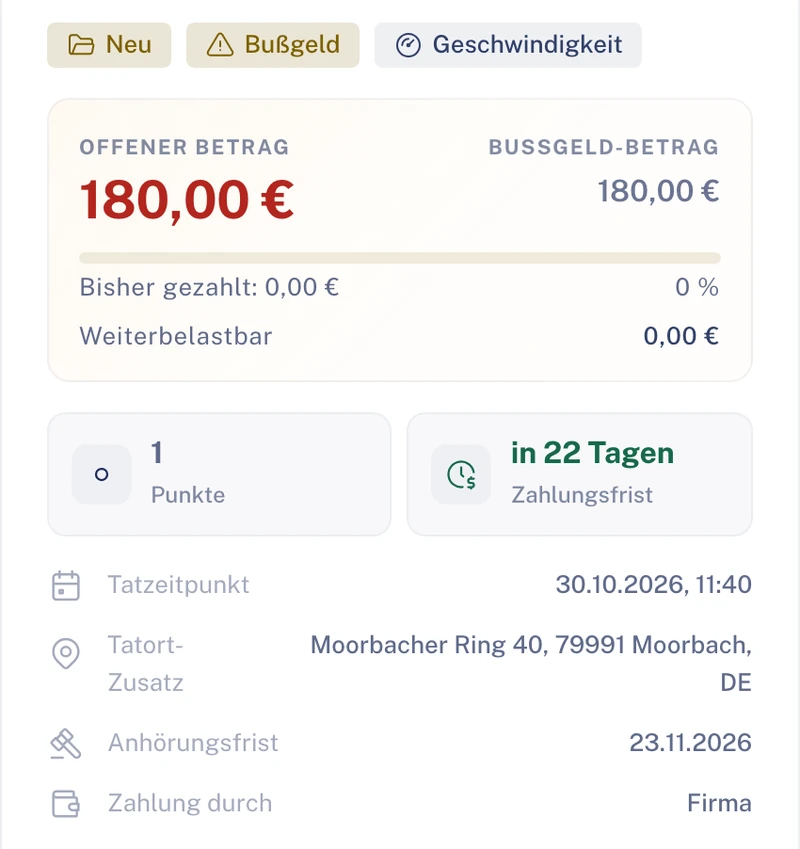
The fleet creates the violation from the notice: fine or warning fee, time of the offence, place of the offence.
Assign
Whose turn: Fleet
The fleet assigns the violation to the vehicle and to the driver at the time of the offence.
Deadlines
Whose turn: FleetDriver
Payment deadline and hearing deadline are in the file. The driver sees their violation in the app and can upload documents.
Law firm
Whose turn: Law firm
If desired, the fleet commissions a law firm directly with the violation. It accepts the case and places its letters in the file.
Recharge
Whose turn: Fleet
What can be recharged is an item in the file. The fleet decides whether to recharge the driver.
- What the driver sees
- Own violations with type, status, deadlines and next step, without amounts.
- For the law firm
- It only sees driver data if you share it.
Case 3 · DefectAdd-on module
A defect is noticed before the round
Before departure something is wrong with the vehicle. What matters is that the defect is not just mentioned but recorded.
Report
Whose turn: Driver
The driver reports the defect with a photo in the app and states whether the vehicle is drivable.
Severity
Whose turn: Fleet
The fleet classifies: critical, major, minor or note. Priority and deadline follow from the severity.
Deadline or lock
In the file
The defect receives its deadline. At critical severity or “not drivable” the vehicle is locked automatically.
Commission the garagewith Automation
Whose turn: FleetGarage
The workflow asks your garage. It accepts the order and sets the appointment.
Fix
Whose turn: Garage
The garage fixes the defect and reports the fix in its portal. It can attach photos; they are not mandatory.
Re-check
Whose turn: Fleet
The fleet then re-checks. Deadline, order and fix are in one file.
- In case of a lock
- The driver reads in the app: “Please do not use the vehicle, fleet informed”.
- For your dispatch team
- Anyone who wants to reassign a locked vehicle sees the warning “The vehicle is locked.”
Illustration Thick line: the case in Clamio. Coloured lines: who acts. Filled station: rule or automation.
Workflow in logisticswith Automation
The breakdown on the round: the workflow asks, you decide the rules
You define once which towing services are asked and in which way. As soon as a report comes in, the process starts.
How should the workflow ask your towing services?
Ask one after another
- Towing service 1askeddeclines
- Towing service 2asked immediatelyaccepts
- Towing service 3no longer needed
Ask one after another: if a service declines or does not answer, the next is asked. If one declines, the next is asked immediately, otherwise once the waiting time has elapsed.
Ask at the same time
- Towing service 1askeddeclines
- Towing service 2askedaccepts
- Towing service 3askedRequest settled
Ask at the same time: as soon as one partner accepts, the request is settled for the others. If one declines, the request to the others stays open.
Illustration Three partners as an example. Which partners are asked is up to you.
The process afterwards
Partner selection
In the step “Order a provider” you define under “Partner selection”: Fixed partner or Preferred partner. Steps can be combined and sorted, including with your own towing services.
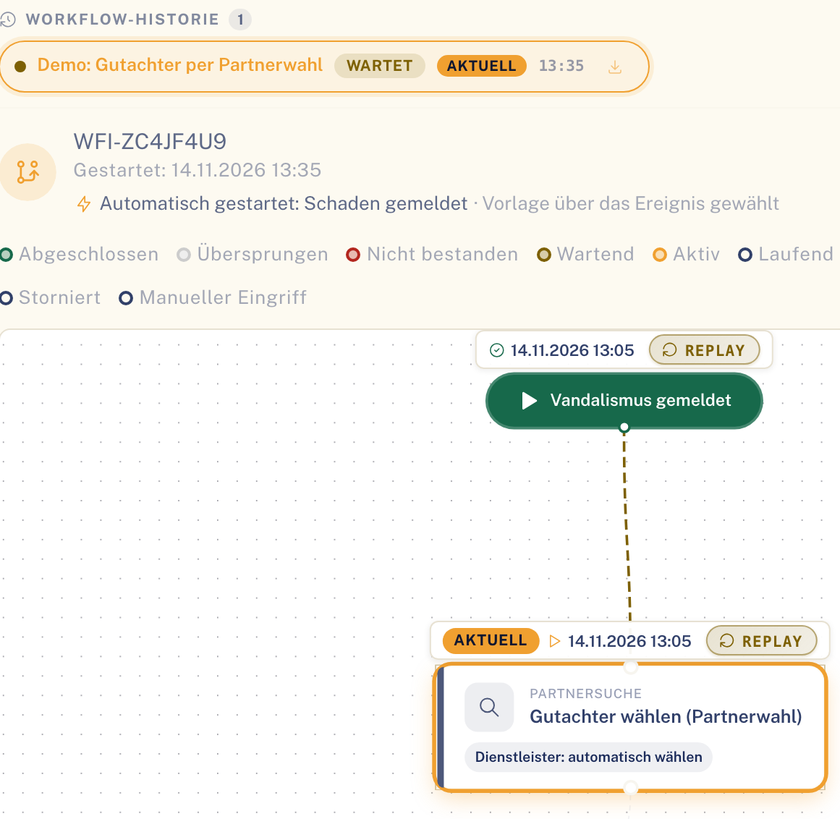
Partner selection as a step in the process of a file. Sample data. Response deadline
Each tier of partner selection has a response deadline. If one declines or does not answer within the deadline, the next is asked. If nobody is found, the order stays open and a person steps in.
Appointment and arrival time
After accepting, the towing service sets the appointment with “Set appointment”. The breakdown’s arrival time follows this appointment; you receive the notification “Breakdown: new arrival time …”.
History and closure
The towing history shows every step with time and trigger. A case is only closed once all orders are done and all invoices decided.
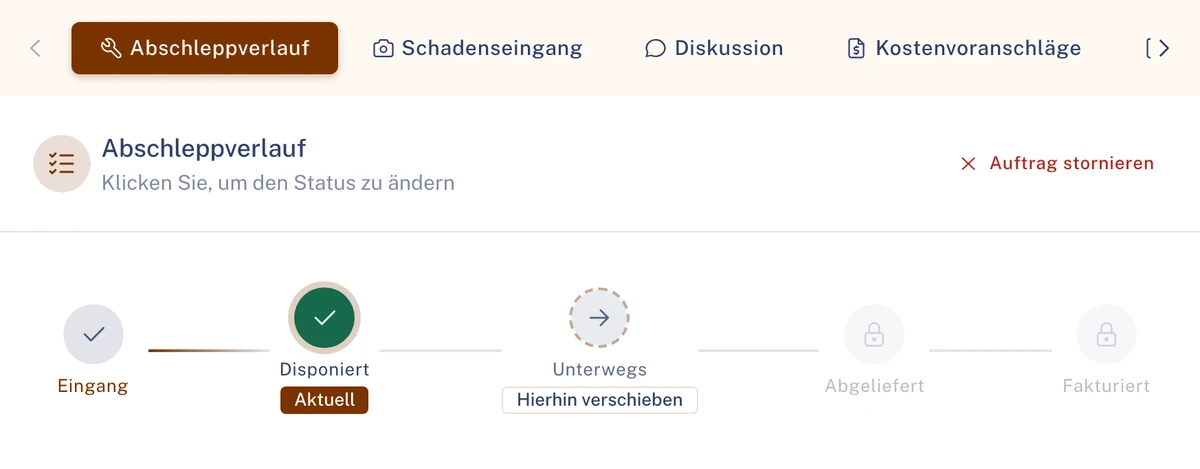
Towing history in the Towing portal. Sample data.
Breakdown is an add-on module. Requirement for the workflow: Automation booked. See Automation
Driver and dispatch
One driver, one app, one status
The driver reports and sees when help is coming. Your dispatch team reads the same in the file, without calling back.
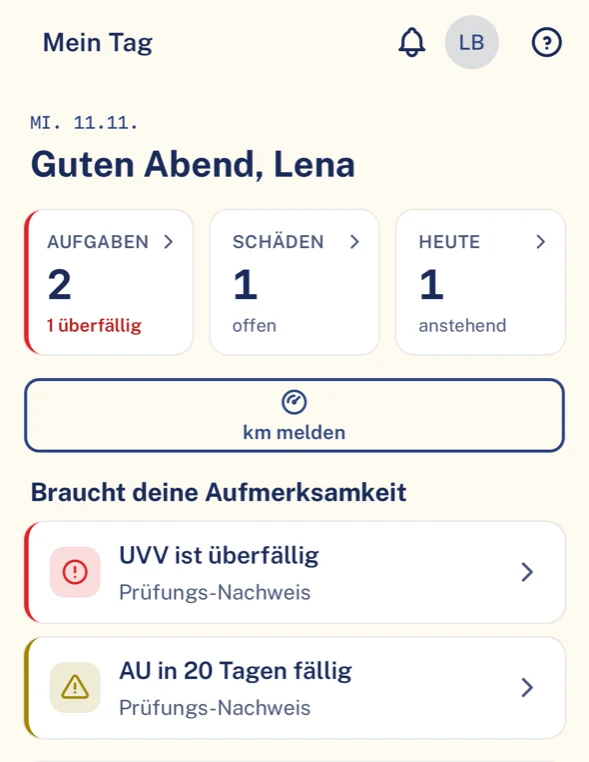
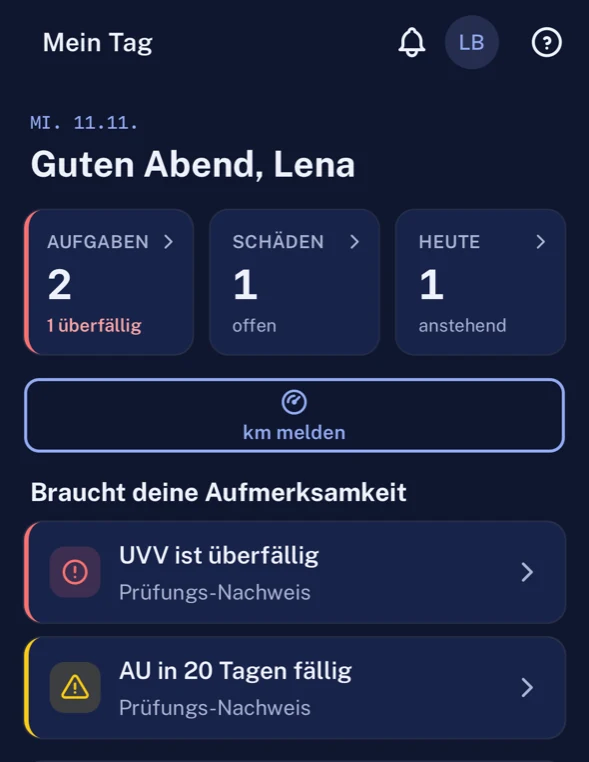
What your driver has in the app
- Report claim, breakdown and defect with guidance, with photos and also as a draft.
- The driver sees the arrival time in the app, even if it changes.
- “My day” shows appointments, deadlines and notices for the shift.
- Eight languages: German, English, Spanish, French, Italian, Polish, Portuguese, Turkish.
- Costs, liability and insurance decisions stay hidden.
What your dispatch team sees in the portal
- Status of the help and arrival time directly in the breakdown file.
- A notification as soon as the towing service sets a new arrival time.
- Repeated breakdowns of the same vehicle are detected.
- Key figures with fixed definitions per role; lists as CSV.
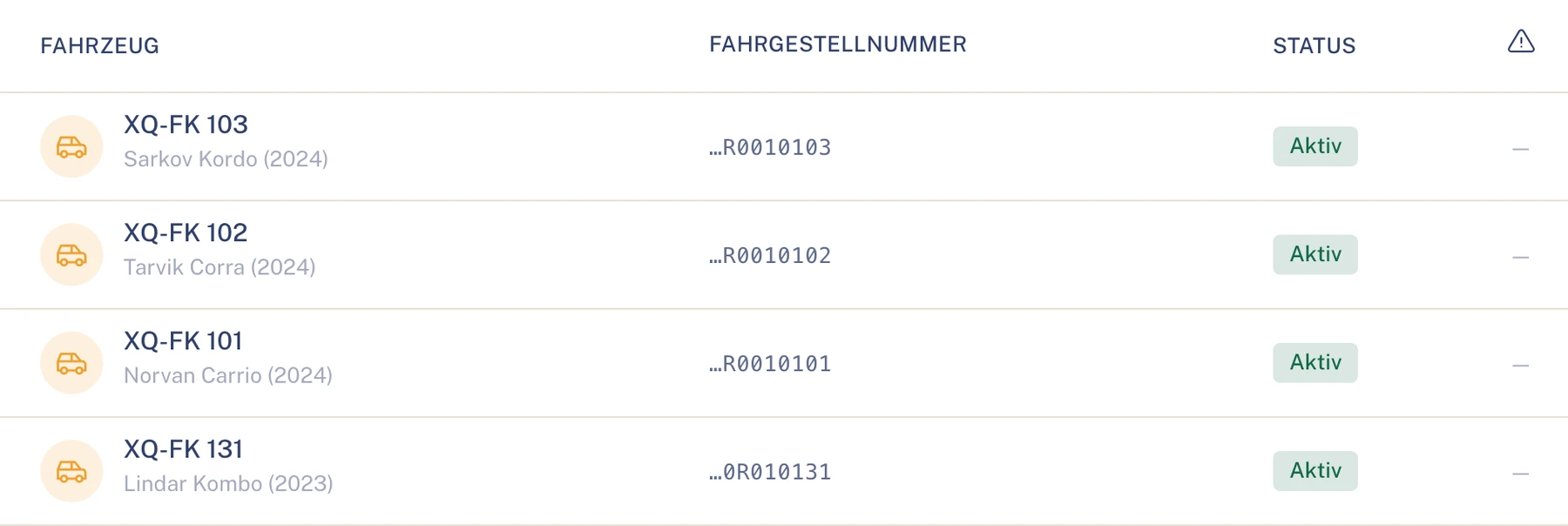
Benefits in logistics
What your team gets out of it
Fleet management
Fewer days of downtime in view: the dashboard shows the claims trend and the fleet’s open claims.
Your dispatch team
Fewer phone calls: partners are asked in the workflow, the arrival time is in the file.
Accounting
Partners’ invoices arrive reviewed and can be exported as a CSV file. Booking export as a CSV file or as a DATEV booking batch.
Driver
A guided report instead of a call and a form, and the certainty of when help will arrive.
Modules in logistics
What matters most in logistics
Every industry uses the same Clamio functions. For fleets on the road it is above all these.
Breakdown
Add-on moduleReport a stranded vehicle with location. The arrival time follows the towing service’s appointment and is shown in file and app.
Violation
Fine and warning fee proceedings with assignment to vehicle and driver, payment and hearing deadlines and rechargeable items.
Defect
Add-on moduleDefects with photo and severity. Deadline or lock depending on severity, fix by the garage, re-check by the fleet.
Workflow with partner selection
with AutomationFixed or preferred partner, dispatch at once, one after another or at the same time, with a response deadline per tier. A test run checks the process before activation.
Vehicles & drivers
Vehicles, drivers and driving licence classes with validity. HU, AU and UVV with due date and reminder ahead of time.
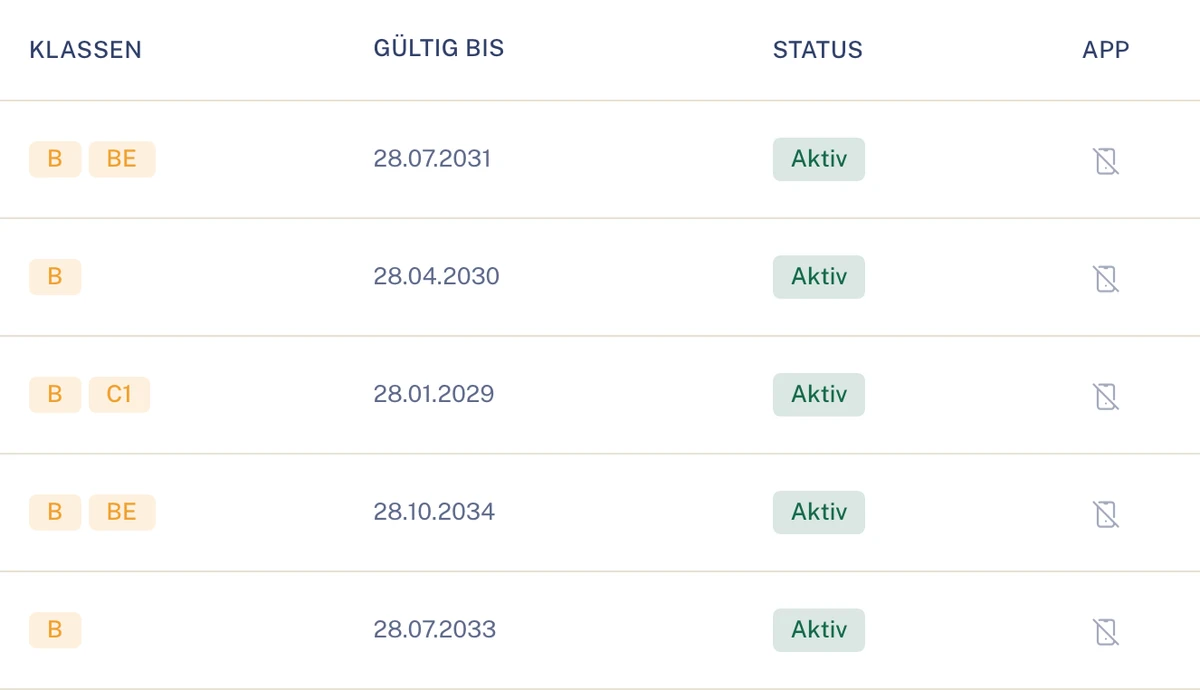
Driver list in the Fleet portal. Sample data. Invoices
Partners submit in their own portal. Statuses: Draft, Submitted, In review, Approved, Rejected, Paid. Optionally the four-eyes principle for cost estimates and invoices from an amount you set.
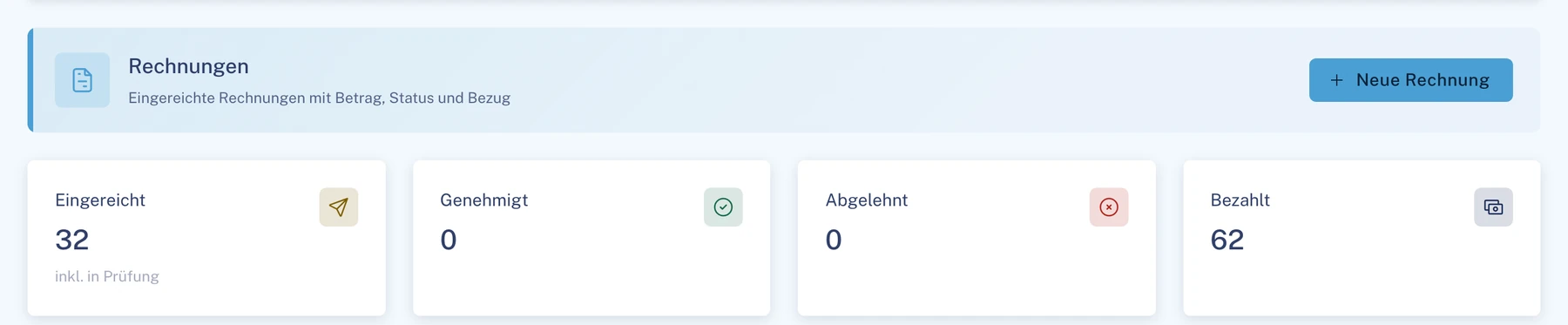
Invoices in the partner portal, here garage. Sample data. Receivables
You track recourse, excess or recharge through to payment, dispute or waiver. The fleet decides whether to recharge the driver.

The fleet’s open items. Sample data. Tyres
Add-on moduleSets, tread measurements and change deadlines; too little tread automatically creates a tyre defect with a lock. Drivers report the tread depth in the app.
Roles in logistics
Who takes part in logistics
- FleetPortalSteers all three cases: assigns violations, commissions partners, reviews invoices.To the solution Fleet
- Driverapp onlyReports breakdown and defect in the app and sees when help is coming.To the solution Driver
- Towing servicePortalProvides breakdown assistance: accepts, sets the appointment, submits the invoice.To the solution Towing service
- GaragePortalFixes the defect and reports the fix in its own portal.To the solution Garage
- Law firmPortalIs commissioned directly with a violation if desired.To the solution Law firm
Also involved
- InsurerPortalApproves and settles claims. Not violations.To the solution Insurer
- Underwriting agent (MGA)PortalSettles claims on behalf if you grant delegated authority.To the solution Underwriting agent (MGA)
Traceable, even with a hundred rounds a day
- History
- Every step of a partner order is in the history with time and trigger.
- Access
- Towing service and garage only see cases in which they are commissioned.
- Driver
- Each driver only sees their own cases, without amounts.
- Operation
- The data is held in data centres in the EU; transmission is encrypted (TLS).
Questions in logistics
Questions from haulage and delivery fleets
What happens if the first towing service does not answer?
Each tier of partner selection has a response deadline. If one declines or does not answer within the deadline, the next is asked.
Can we use our own towing services and garages?
Yes. You create your partners and determine which partners are asked, fixed or preferred.
Does our dispatch team see when help is coming?
Yes, the status of the help and the arrival time are in the file; the driver sees both in the app.
Do all drivers need an account in the office system?
No. Drivers only use the app and only see their own cases.
How does a fine reach the right driver?
The fleet assigns the violation to the driver at the time of the offence. Payment and hearing deadlines are in the violation file; the driver sees their case in the app.
What does the driver see of the costs of a breakdown?
Nothing. Costs, liability and insurance decisions are hidden in the app.
What do we need to have booked for breakdown and defect?
Breakdown and defect are add-on modules per fleet. Requirement for the workflow: Automation booked.
See Clamio for your fleet
In the demo we play through a breakdown on the round: from the report in the app via the request to the towing service to the invoice in the file.