IndustriesTrades & technical service
Trades & technical service
A failure costs the customer appointment.
Service vehicles are workshops on wheels. If one fails, a customer appointment fails.
- Failure = missed customer appointment
- fast reporting
- fast replacement
- Keeper’s duties
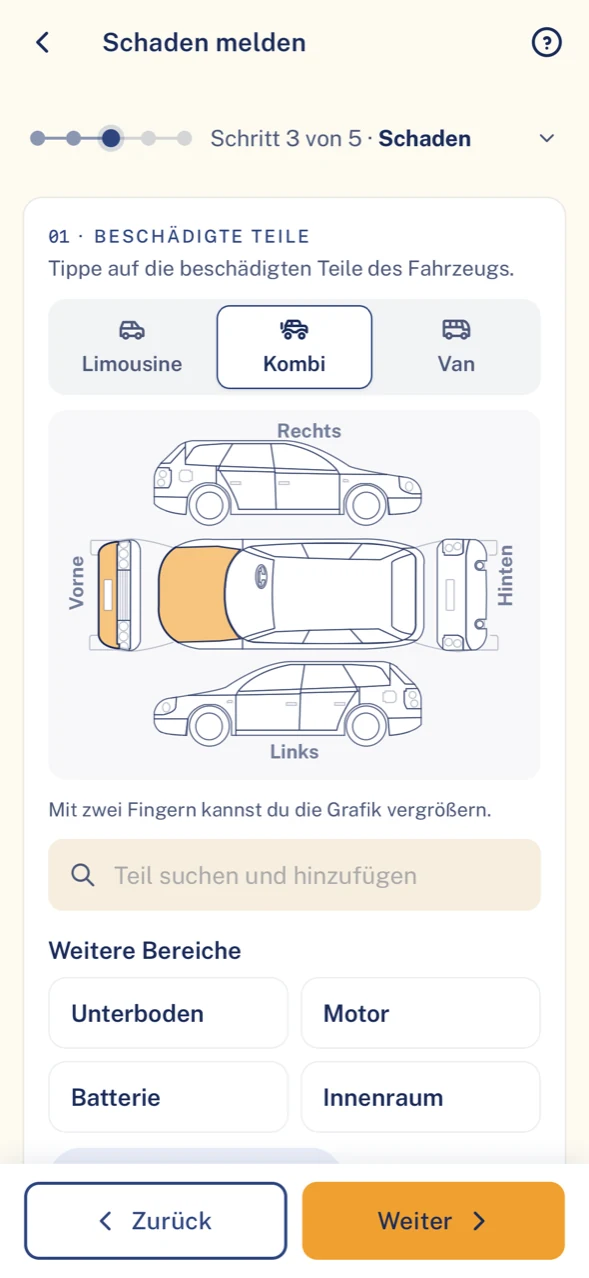
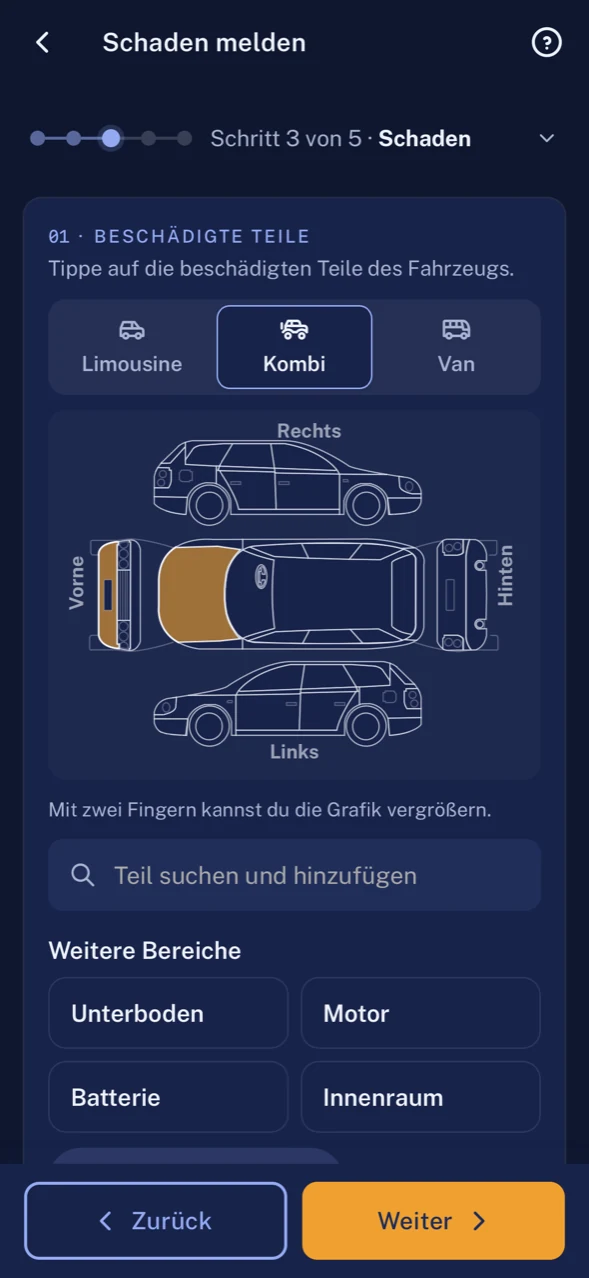


Starting point: service
What slows down day-to-day service work
Your technicians are with the customer, not in the office. Everything that happens to the vehicle has to be sorted out from the road.
The service vehicle will not start at the customer’s.
With ClamioThe technician reports the breakdown in the app. The towing service (breakdown assistance) sets the appointment; the technician sees the arrival time.
A claim report eats time that is missing for the job.
With ClamioReported quickly; vehicle and location are prefilled. The technician adds photos and confirms.
No vehicle, no next appointment.
With ClamioA rental car can be requested after a claim or breakdown. The car rental partner confirms in its own portal.
HU, AU and UVV simply expire in day-to-day business.
With ClamioThe due dates are on the vehicle; Clamio reminds in good time. The technician sees them in “My day”.
Nobody ever claimed back the excess from that time.
With ClamioYou track receivables such as recourse or excess in Clamio through to payment.
The office runs the fleet on the side.
With ClamioWith Automation, partner selection and approvals follow rules that you define once.
Everyday service
Three cases from customer service
Case 1 · BreakdownAdd-on module
A service vehicle will not start
The job at the customer’s is done, the next one is waiting. The panel van stays silent.
Breakdown report
Whose turn: Driver
The technician reports the breakdown in the app and states whether they need towing or a rental car.
Commission
Whose turn: Fleet
The fleet commissions the towing service (breakdown assistance). With Automation the workflow asks by itself.
Acceptance
Whose turn: Towing service
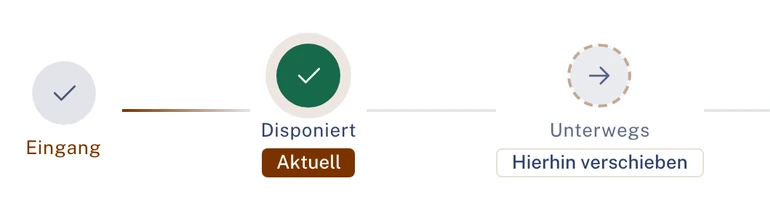
The towing service accepts and sets the appointment for its arrival.
Arrival time
Whose turn: DriverFleet
The technician sees the arrival time in the app, the office in the breakdown file. The follow-up appointment can be moved.
Replacement vehicle
Whose turn: FleetCar rental
If needed, a rental car is requested. The car rental partner confirms in its portal.
Costs
Whose turn: Towing serviceFleet
The breakdown assistance invoice goes into the same file and is decided there.
- In the technician’s app
- When breakdown assistance will arrive and how far along it is. The technician sees no costs.
- Car rental
- The status runs from Request via Confirmed and Active to Returned.
Case 2 · Claim
A parking bump at the customer’s premises
Narrow entrance, a brief moment, a scratch on the sliding door. No drama, but a case.
Photos
Whose turn: Driver
The technician reports the claim in the app with photos, prefilled with vehicle and location.
Review
Whose turn: Fleet
The fleet reviews the report in the claim file. Photos, location and vehicle part are already there.
Quote
Whose turn: Garage
The garage receives the order, accepts and submits its cost estimate.
Consentwith Automation
Whose turn: Fleet
The party you define decides on the cost estimate before the repair.
Replacement
Whose turn: FleetCar rental
A replacement vehicle is requested for the time in the garage.
- What the technician sees
- The status of their report, but no amounts.
- Assignment
- Vehicle and driver are assigned to the claim.
Case 3 · Receivable
After the claim a receivable remains open
The door is repaired, the vehicle is back on the road. What is still open is who pays which part.
Open item
Whose turn: Fleet
An amount from the claim remains open, such as the excess or a recourse.
Receivable
Whose turn: Fleet
The fleet records it as a receivable, with type, debtor, reference to the claim and amount.
Status
Whose turn: Fleet
The status shows where the receivable stands: open, partly paid, disputed or paid.
End
Whose turn: Fleet
You track the receivable through to payment, dispute or waiver.
- For the office
- No list on the side: the receivable is attached to the claim it arose from.
- For the technician
- Amounts and liability do not appear in the app.

Illustration Thick line: the case in Clamio. Coloured lines: who acts. Filled station: rule or automation.
Workflow in servicewith Automation
Breakdown at the customer’s: the process runs, your technician is in the picture
In service the breakdown is the most expensive moment. The towing service sets the appointment, and all three sides see the same time.
One appointment, three views. Who sees what?
In the Towing portal
After accepting, the towing service sets the appointment with “Set appointment”. It moves its status from “Received” via “Dispatched” and “En Route” to “Delivered”.
In the fleet’s breakdown file
The arrival time follows the towing service’s appointment. The office receives the notification “Breakdown: new arrival time …” and can move the follow-up appointment with the customer.
- StatusHelp is on the way
- Arrival timeETA per order
- NotificationBreakdown: new arrival time …
In the technician’s app
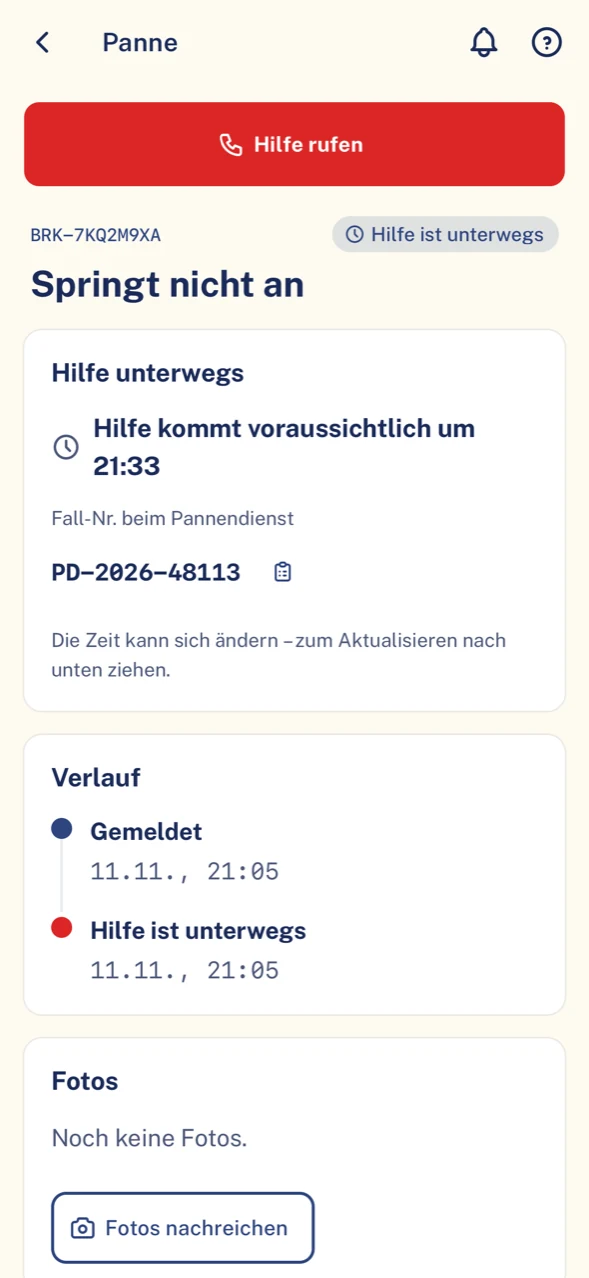
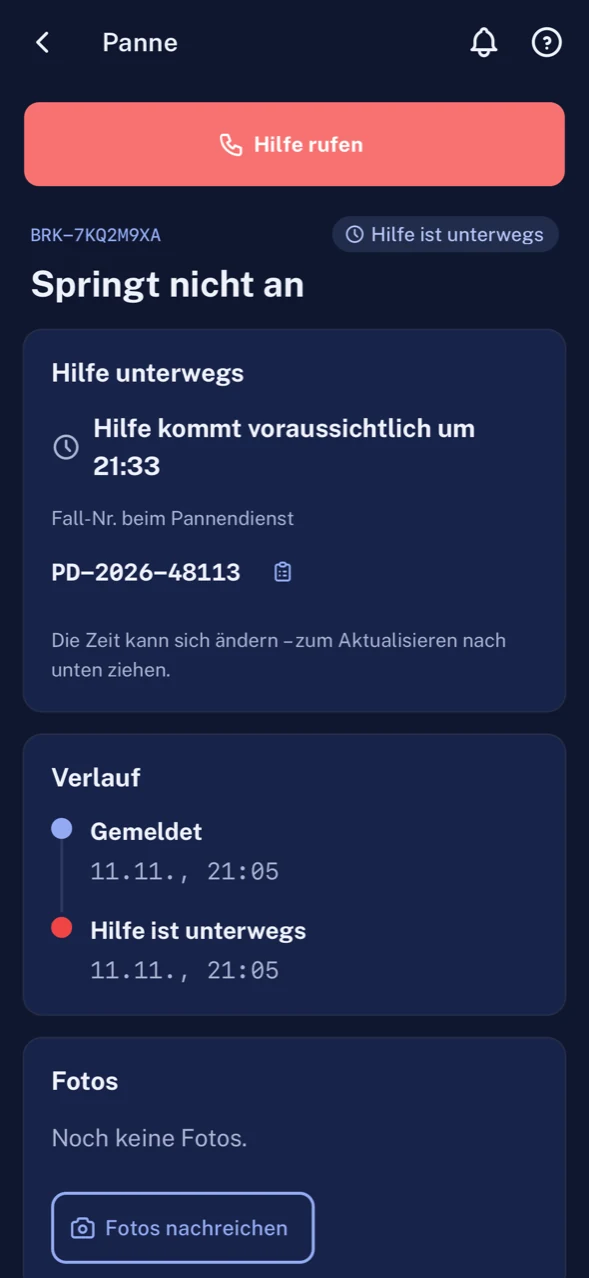
“Help is expected to arrive at …”: the technician sees the status of the help and the arrival time without calling the office.
What the process takes over
Request
The process starts with the breakdown report. The workflow asks the towing services you have stored as fixed or preferred partners.
Acceptance
If a service accepts, its order is set to “Dispatched”. The fleet’s claims handlers are notified.
Towing history
Received, Dispatched, En Route, Delivered, Invoiced: every step is in the history with time and trigger.
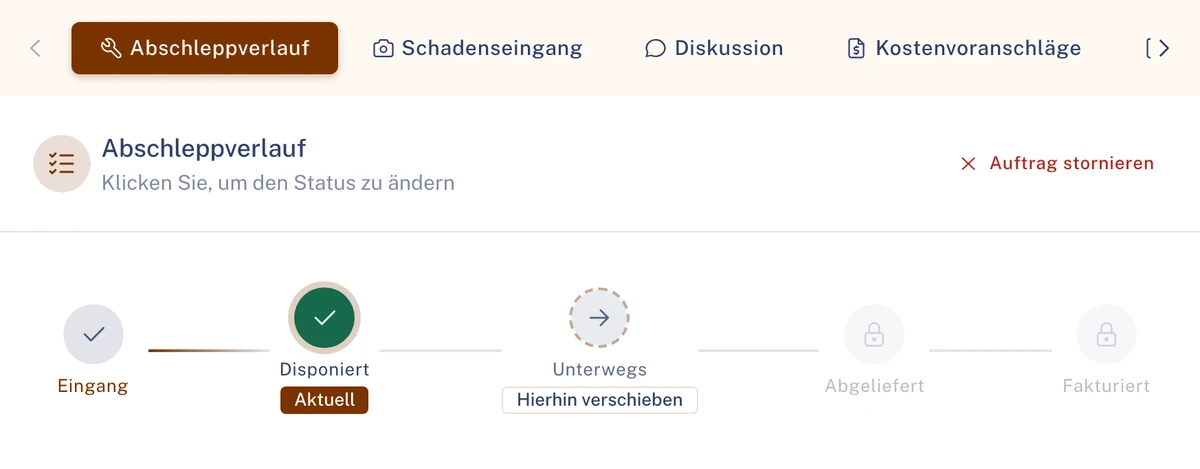
History of breakdown assistance in the Towing portal. Sample data. Second stop: approval
If the breakdown turns into a repair, the process waits for approval of the cost estimate. From your approval limit, two people confirm if you switch on the four-eyes principle.
Breakdown is an add-on module. Requirement for asking automatically: Automation booked. See Automation
In the app and in the office
Simple for the technician, documented for the office
The technician should report and carry on working. The office should not have to add anything afterwards.
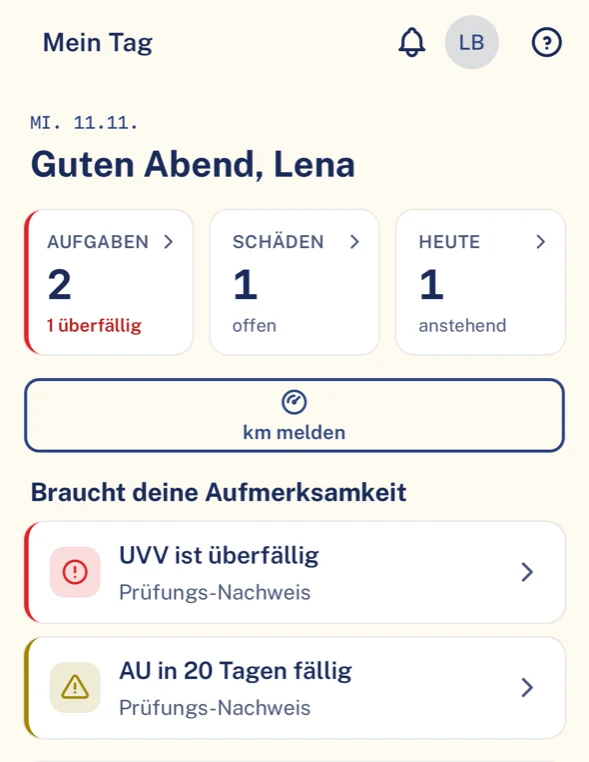
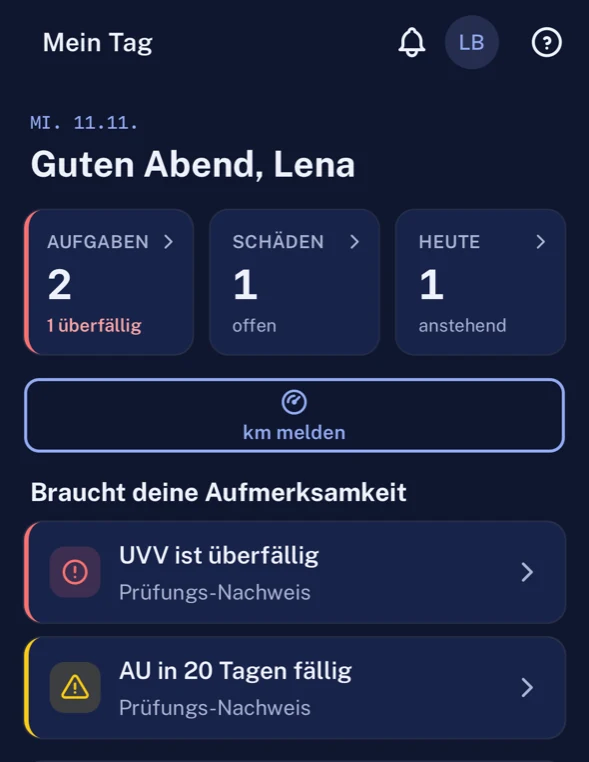
What your technician sees in the app
- Guided report with photos; a draft can be saved and sent later.
- “My day” with appointments, deadlines and notices about their own vehicle.
- If they open the app after a breakdown, it shows how far along the help is.
- Only their own cases, without costs and liability.
What the office has in the portal
- Claims, breakdowns and deadlines of all service vehicles in one place.
- Invoices from garage and towing service in the respective file.
- Lists as a CSV file for the tax adviser or your own analysis.
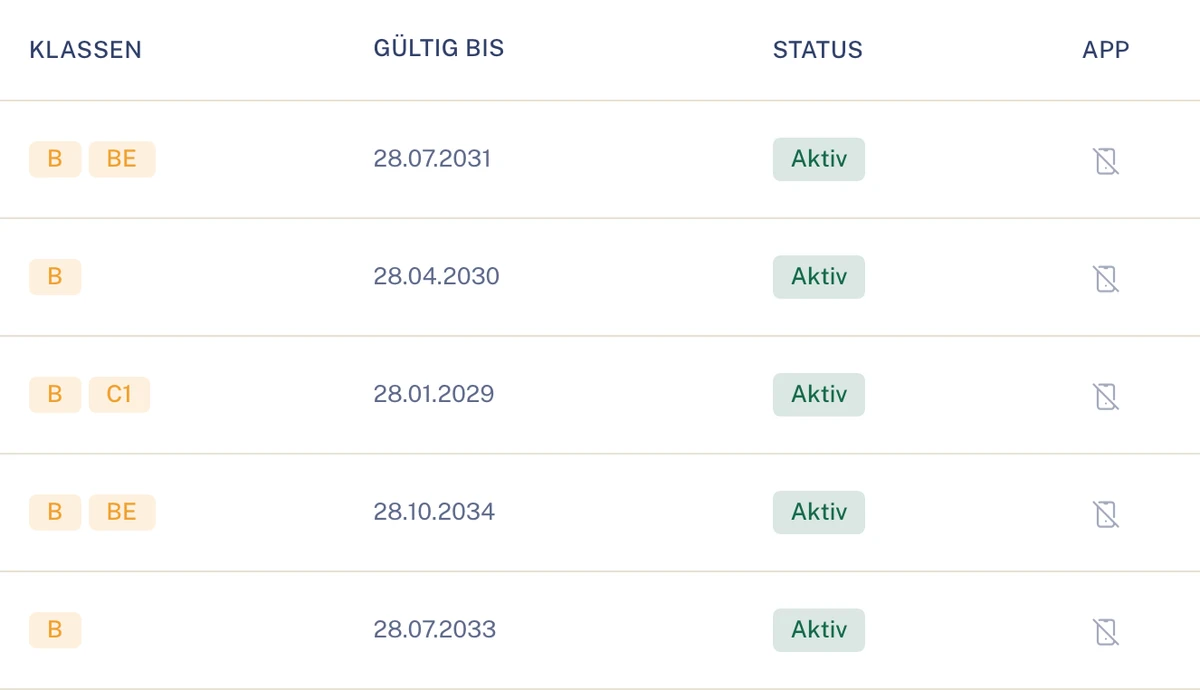
- The “Driving licences” tab of the driver file shows classes and validity per technician.
Benefits in service
What your business gains
Owners and management
Keeper’s duties stay in view: HU, AU and UVV with reminder ahead of time.
Your service management
It sees the arrival time of breakdown assistance and can move the follow-up appointment with the customer.
Office and accounting
Excess and recourse stay on the claim as a receivable until they are paid.
Technician
Reported quickly; vehicle and location are prefilled. Then it is back to the job.
Modules in service
What matters most in service
For businesses with service vehicles, breakdown, claim and fast replacement matter. The rest of Clamio is available as well.
Breakdown
Add-on moduleThe technician reports with location. Breakdown assistance is provided by the towing service; its appointment gives the arrival time.
Claim
Third-party liability, partial and fully comprehensive claims in one file, with photos and parties. Vehicle and driver are assigned.
Car rental
Replacement vehicle after a claim or breakdown. The car rental partner confirms the request and reports the car as active and as returned.
Partner selection
with AutomationFixed or preferred partner for garage and towing service, dispatch one after another or at the same time.
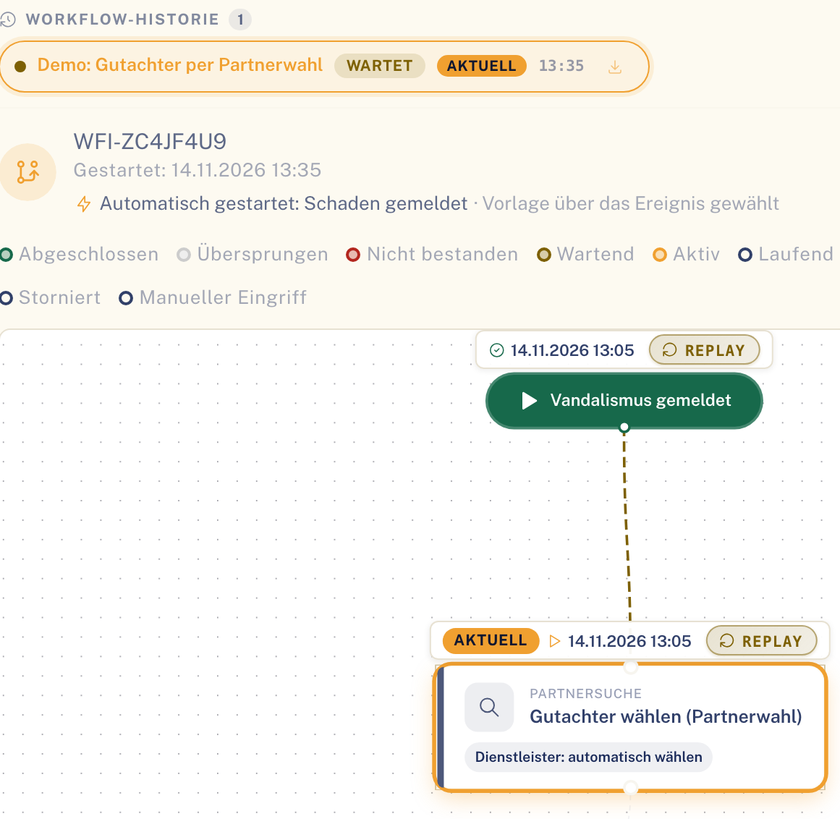
Partner selection as a step in the process of a file. Sample data. Deadlines (HU, AU, UVV)
Due date per vehicle with reminder ahead of time. The deadline “Driving licence expires” appears in good time; classes and validity are in the “Driving licences” tab of the driver file.
Defect
Add-on moduleDefects on the service vehicle with severity and deadline. The garage reports the fix; photos are not mandatory.
Roles in service
Who takes part in a service case
- FleetPortalReviews reports, commissions partners, approves and tracks receivables.To the solution Fleet
- Driverapp onlyThe technician reports from the road and sees status and arrival time.To the solution Driver
- Towing servicePortalBreakdown assistance: accepts, sets the appointment, reports the status through to “Delivered”.To the solution Towing service
- GaragePortalRepairs, submits cost estimate and invoice in the portal.To the solution Garage
- Car rentalPortalSupplies the replacement vehicle and reports it as active and as returned.To the solution Car rental
Also involved
- InsurerPortalJoins when a claim is settled.To the solution Insurer
- Underwriting agent (MGA)PortalFor claims: settlement on behalf, with delegated authority.To the solution Underwriting agent (MGA)
Properly organised, even for small businesses
- Audit log
- Who decided what in the office is in the audit log with person and time.
- Partner
- Garage, towing service and car rental partner only see their own order.
- Amounts
- In the office, amounts are only seen by those with the permission. In the technician’s app they do not appear at all.
- Data centre
- Data centres in the EU. The connection to the app and the portal is encrypted (TLS).
Questions in service
Questions from trades and service
How long does a report take?
Vehicle and location are prefilled; the driver adds photos and confirms. They can also save a draft first.
Can a replacement vehicle be organised for us?
Yes, a rental car can be requested after a claim or breakdown. The car rental partner confirms in its own portal.
Who pays excess or recourse?
You track receivables such as recourse or excess in Clamio through to payment.
What does the technician see in a breakdown?
The status of the help. The driver sees the arrival time in the app, even if it changes.
Can we stay with our regular garage?
Yes. You create your garage as a partner and determine which partners are asked, fixed or preferred.
Does the technician see what the repair costs?
No. Costs, liability and insurance decisions are hidden in the app.
Is it worthwhile for a business without a fleet manager?
That is what the workflow is for: with Automation, partner selection and approvals follow your rules.
Further industries at a glance
See Clamio for your service fleet
In the demo you see a breakdown at the customer’s with arrival time, the request for the replacement vehicle and an excess as a receivable.